
Maps, Vector Layers & Raster Overlays
- Online and offline maps
- Mapsforge, MBTiles and GeoPackage
- Raster overlays from GeoTIFF, MBTiles, KML or KMZ
- Vector layer, raster overlay and map profile visibility
Features
Maps, offline data, elevation data, projects, navigation and live tools in one Android app.
Overview
Use the core tools for map work, geodata, orientation and field documentation.
Workflow
Import, display, QR exchange and backup are designed to keep project data understandable and consistent.
The app analyzes file contents and assigns them to a suitable target: map object, vector layer, POI data, offline map, elevation source or raster overlay.
Map slots, profiles, layers and default styles help prepare map sources and object colors for repeated field use.
Imports, analyses, POI indexing, backups and restores run with clear assignment and visible progress.
Details
See what each tool is useful for and which data or device features it may need.
| Feature | Purpose | Context |
|---|---|---|
| Viewrange | Calculates visible areas from a point using available elevation data. | Requires suitable elevation data; output depends on resolution and coverage. |
| Hillshade & Contours | Makes terrain shapes easier to read and complements elevation profiles and point heights. | Use HGT, DEM GeoTIFF, ASC or DTED. |
| Smart Import | Assigns files to suitable targets: project, map, elevation data, raster overlay, vector layer, POI data, route or track. | For containers such as ZIP or GeoPackage, the content matters. |
| Point Details | Map points can provide context for roads, POI, elevation, coordinates and imported vector layers or raster overlays. | Detail level depends on map, tags and imported data. |
| Remote ID | Receives public Direct Remote ID broadcasts via BLE, Wi-Fi NAN and Wi-Fi Beacon, displays them locally and exports history. | Supports Open Drone ID / ASTM F3411, ASD-STAN / EU Direct Remote ID and KML, GeoJSON and CSV for history export. |
| Live Groups | Local group positions and status nearby without an app-owned server. | Requires matching Bluetooth/Nearby permissions. |
| Backup & Restore | Saves selected app content as a .asmaps.bak file and restores it deliberately. | Backups can include projects, settings, profiles, POI, groups and local data; optional encryption is available. |
| AR/LiveView | Shows targets, bearings, POI, peaks, tracks or search grids in the camera view. | Sensor quality and device compatibility are decisive. |
Feature scope
Some features intentionally have limits in the free edition. The Free/Pro table shows the main differences for projects, objects, routes, areas, imports, exports, offline data, Remote ID and AR/LiveView.
Terms
ArxSilex MapTools uses these terms deliberately. They make it clear whether a file is used as a base map, editable geometry, image overlay or elevation data source.
| Term | Short definition | Examples |
|---|---|---|
| Maps | Base maps used as the main working view. | OpenStreetMap, OpenAndroMaps, offline .map, MBTiles as a base map |
| Vector layers | Additional object, line or polygon data above the map. The content consists of points, lines or areas and can often be displayed or evaluated individually. | GPX, KML, GeoJSON, Shapes, KML polygons, GeoJSON areas, GPX tracks as overlays |
| Raster overlays | Georeferenced image or tile data above the map. They are placed as a finished image surface and are not interpreted as individual objects. | GeoTIFF, MBTiles, image maps, aerial imagery, scanned maps, georeferenced plans |
| Elevation data / terrain | Data sources for elevation values and terrain analysis. They are not a visible map in the narrow sense, but provide height information. | HGT, DEM GeoTIFF, ASC, DTED |
| Map style | Rendering rules for vector maps. The style defines colors, symbols, paths, POIs, contour lines and other map elements. | OpenAndroMaps render theme, Elevate Theme |
| POI data | Search and display data for places and points of interest. | OpenAndroMaps .poi, custom POI files |
Vector layers contain individual geometries. They are useful for planning data, boundaries, search areas, routes, tracks and imported project information.
Raster overlays are finished image surfaces above the map. They are useful for aerial imagery, historical maps, scans or special map views. Opacity is often adjusted so the base map remains visible below.
Maps, vector layers and raster overlays can be shown on the map. Elevation data is usually used by tools: point elevation, elevation profile, hillshade, contour lines and viewrange.
Drone Remote ID
ArxSilex MapTools can passively receive public Direct Remote ID broadcasts, process them locally and show them on the map, in the Live Center and in exports. The app does not connect to or control the drone.
Supported paths include BLE legacy and BLE extended advertising, Wi-Fi NAN and Wi-Fi Beacon / vendor-specific information elements. Availability depends on phone, Android version, permissions and radio environment.
The app parses Open Drone ID / ASTM F3411 and ASD-STAN / EU Direct Remote ID payloads. Service data frames, manufacturer data and Wi-Fi vendor information are used when they contain a valid Remote ID payload.
When broadcast, the app can display UAS ID, drone position, altitude, height, speed, heading, operational status, Self ID, operator ID, operator or take-off position, EU classification, RSSI, source, protocol and profile.
Remote ID history is optional and local. Export supports KML for maps, GeoJSON for GIS tools and CSV for spreadsheets.
| Data format | Support |
|---|---|
| Open Drone ID / ASTM F3411 | Basic ID, Location Vector, System, Operator ID, Self ID, Authentication and Message Pack. |
| ASD-STAN / EU Direct Remote ID | EU-compatible Remote ID payloads including classification and operator information when broadcast. |
| BLE | Open Drone ID service UUID 0xFFFA, manufacturer data and known vendor frames; legacy and extended advertising. |
| Wi-Fi NAN / Wi-Fi Beacon | Remote ID payloads from Wi-Fi Aware/NAN and beacon vendor IEs, depending on the device. |
| Export | KML (.kml), GeoJSON (.geojson) and CSV (.csv). |
GeoPackage
GeoPackage remains intended for maps, tile containers and vector layers. Use HGT, DEM GeoTIFF, ASC or DTED for terrain features.
Current
The current tools support more guided measurement and correction workflows so existing objects do not need to be recreated.
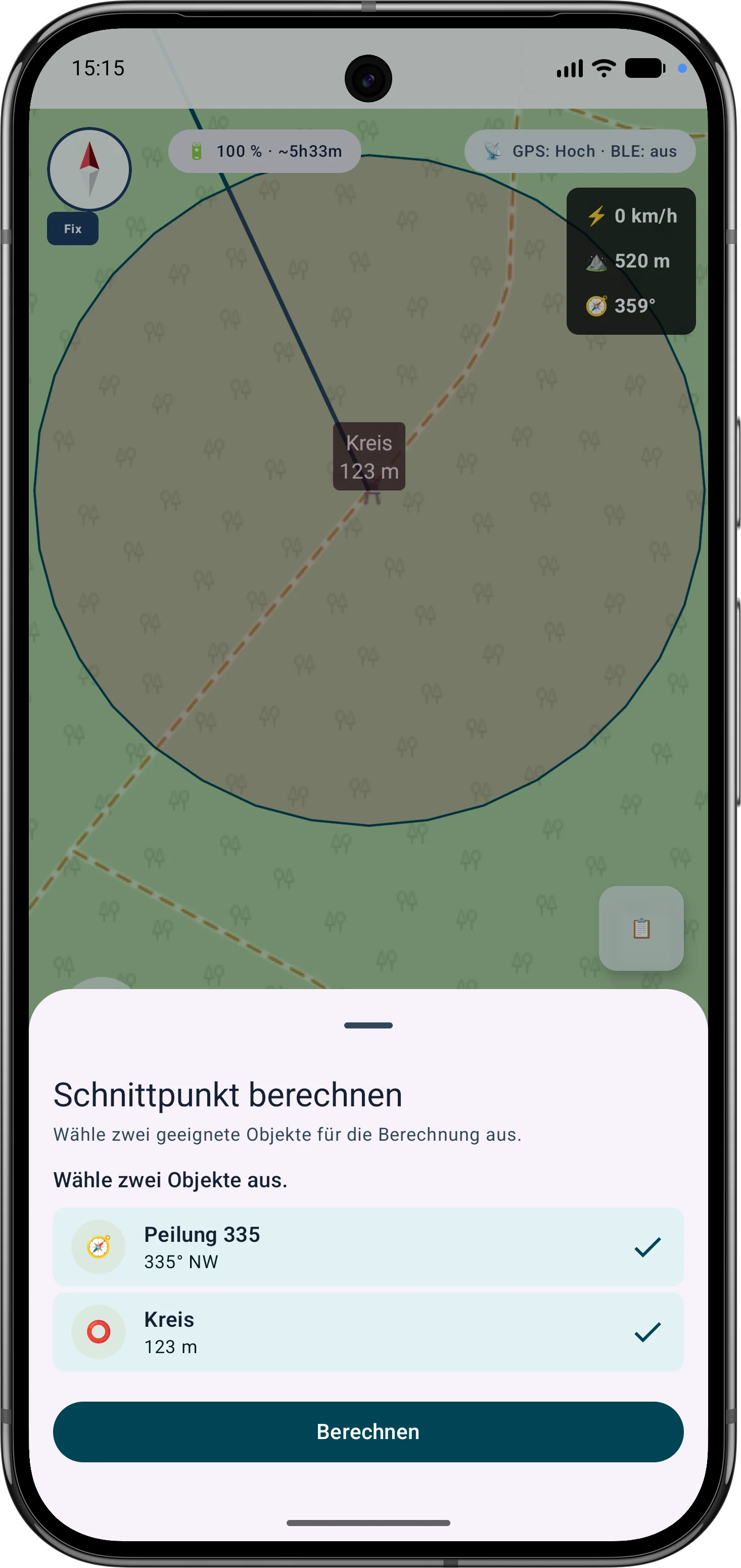
The app guides the selection of suitable bearings, circles or measurement objects, calculates intersections and can save the result as a marker.
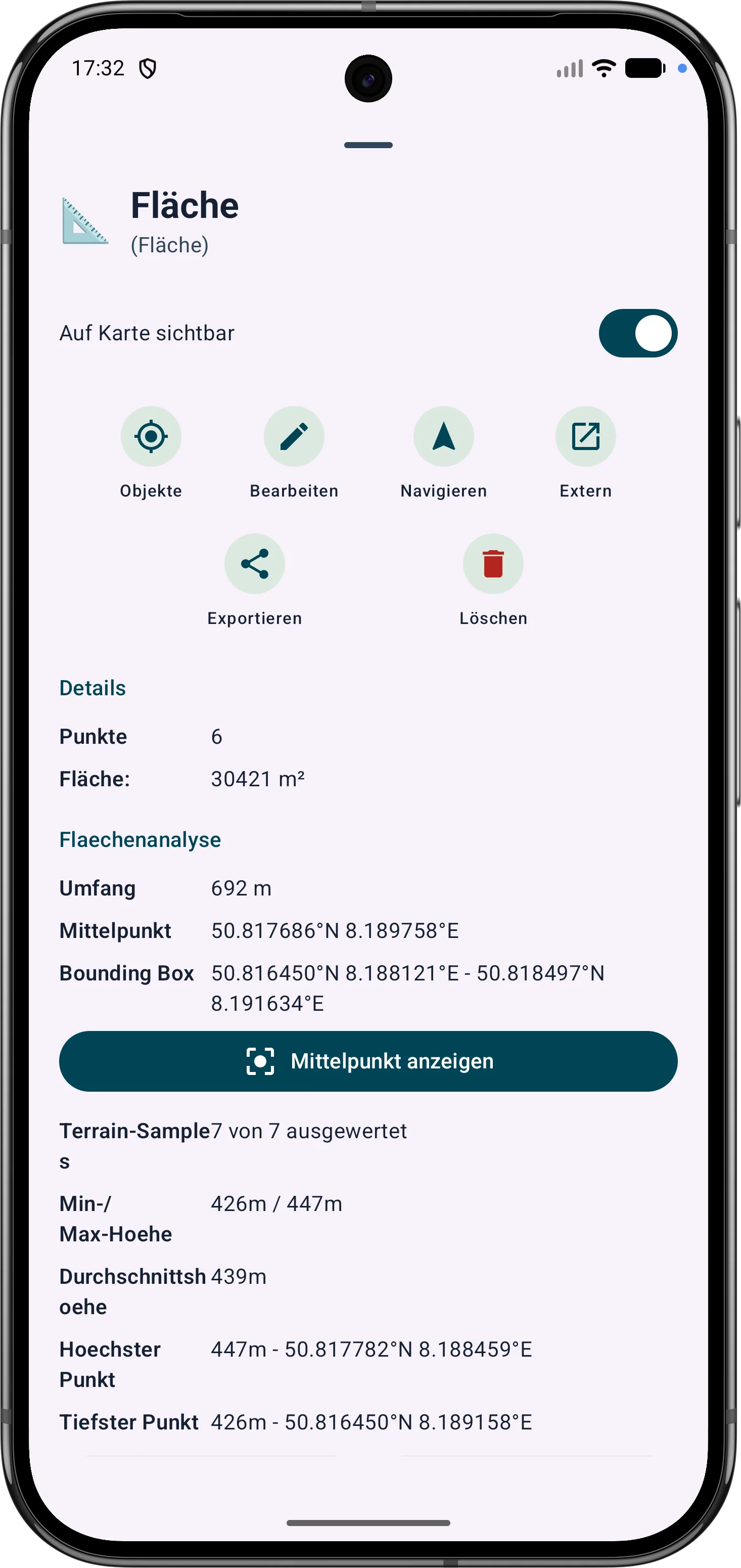
Polygon areas can be refined through their vertices. Side lengths, interior angles and distances help correct boundaries in the field.
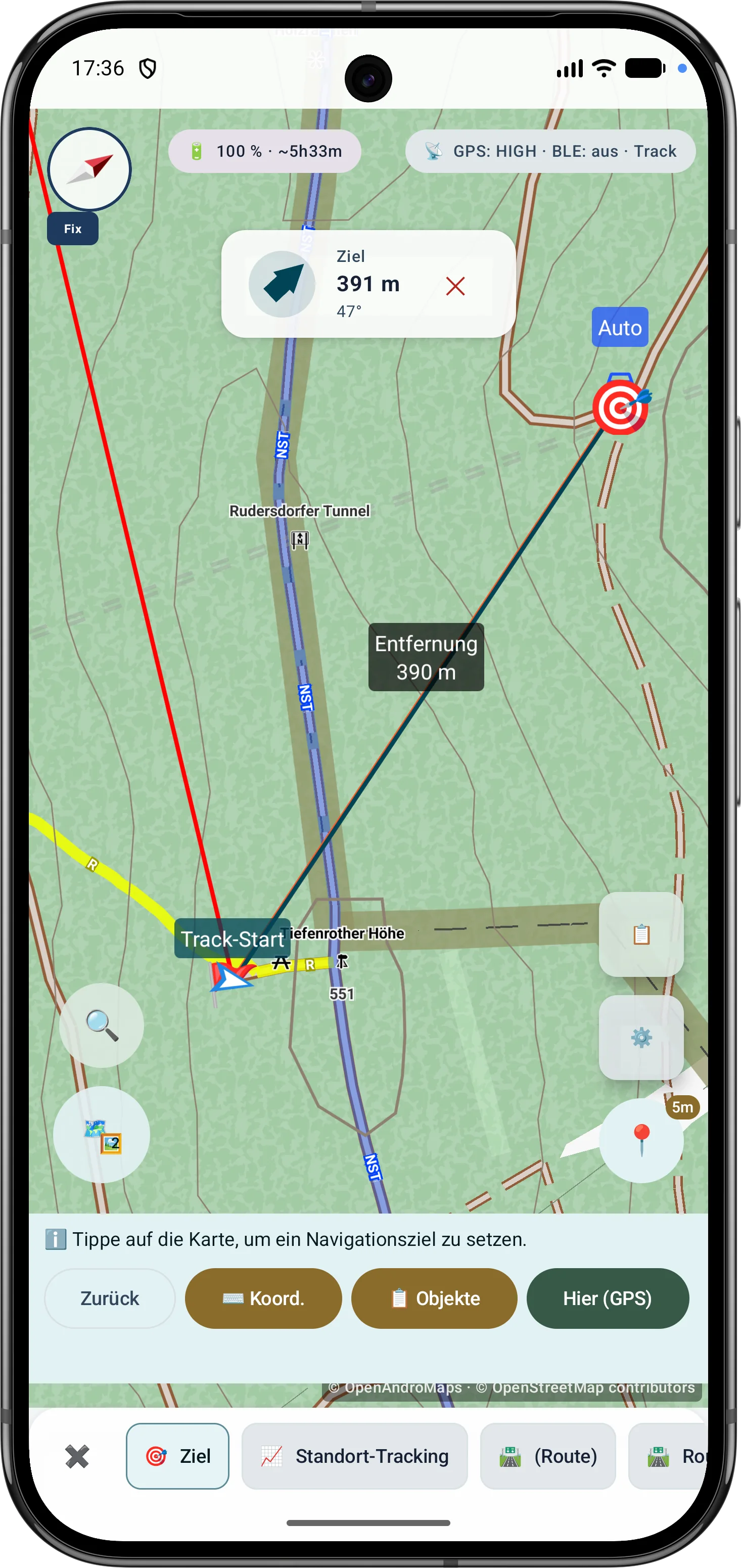
Route points and segments can be adjusted later. Bearing, distances and direction angles remain visible and understandable on the map.
Current Scope
These capabilities are especially relevant in the current app version and are grouped here.
Bearings, circles and measurement objects can be combined in a guided flow to determine intersections and distances.
Polygon areas can be refined later through their vertices while side lengths, interior angles and distances stay visible.
Route points and segments can be adjusted later with bearing, distances and direction angles.
The outdoor compass supports navigation, bearings, target alignment and map work. Sensor source, magnetic field assessment, view mode and GPS course while moving are shown transparently so direction and accuracy remain understandable.
Drone reception shows BLE, Wi-Fi NAN, Wi-Fi Beacon, operator/system data, diagnostics and optional export where device and signal source support it.
Submenus can be sorted by frequently used tools, making important field functions faster to reach.
GPS & markers
Fresh GPS fixes are validated, weighted and combined with robust statistics.
Used fixes, reported accuracy, P68, P95 and center stability expose the data basis.
Additional sessions are combined through controlled, independent 90-minute windows.
Coordinate conversion, MAD filtering, accuracy weights, Huber estimation and percentiles are explained step by step.
Field data
MapTools stores practical context with outdoor measurements so that recorded data remains understandable later.
Markers, lines, routes, bearings, areas and ViewRange/visibility areas can use a color field, RGB/Hex input and a preview of the current and selected color. Favorites are organized as global object colors plus separate favorites for areas and ViewRange.
Tracks can store timestamps, tour duration, pauses via track segments, pause positions and GPS accuracy. Track points show available times, pauses and quality data in the info sheet.
When the device provides it, GPS/RTK quality data is stored and displayed for tracks, markers, area points, bearings and ViewRange. Freely placed markers receive a terrain elevation when active elevation data is available.
Follow route
Follow route offers minimal guidance with geometry-derived direction changes or quiet corridor monitoring. Pause, warning acknowledgement and a compact map display are prepared for longer tours.
Map sources
Public or private HTTPS map services can be organized as a basemap or overlay in map profiles and map slots.
URL-based XYZ and OSGeo TMS tiles, plus WMTS 1.0.0 and WMS 1.1.1/1.3.0 with GetCapabilities.
Layers, styles, dimensions, order, preview, connection test and overlay opacity are managed on the source or slot.
EPSG:3857 is rendered directly; compatible additional CRS are locally reprojected through the central engine.
Provider, licence and usage details are retained; credentials are encrypted and excluded from project files and backups.
 Robustly average and remeasure GPS positions