
起点和方向
你可以从起点走到终点,也可以反向行走。环线不会自动推荐方向,方向由你选择。
实践
结合使用路线、轨迹、高程剖面、地形和报告导出。
工作流程
按照这些步骤为任务组合地图、数据和工具。
轨迹记录
轨迹记录会保存时间戳、行程时长、作为轨迹段的暂停、暂停位置和 GPS 精度。轨迹点在信息面板中显示已有时间、暂停和质量数据,而紧凑的 tracking 栏会显示记录状态,不会不必要地遮挡地图、菜单或导航。
更新
路线点和路段可以稍后细化。方位、距离和方向角有助于在地图上精确修正规划线路。
跟随路线
跟随路线时,你可以自行选择路线、行进方向和引导模式。应用不会修改已保存的路线,而是使用现有几何。
你可以从起点走到终点,也可以反向行走。环线不会自动推荐方向,方向由你选择。
在 GPS 位置有效时开始跟随路线,应用会把进度对齐到路线上的最近点,而不是要求你返回起点。导航过程中可以显示路线点,并选择其中一个作为下一个点。
应用从路线线形中识别重要转向,并只显示下一个重要提示,包括箭头、距离和可选预计时间。
安静模式只显示你是否仍在路线走廊内。明显偏离时,可按设置发出声音、振动或静默提醒。
跟随路线可以暂停、今日中断,并稍后继续。活动会话保存在本机,但不会随项目导出。
分析
创建路线或区域时,第一个确认点会立即显示。
实时和最终上升/下降使用相同的距离与分段配置文件滤波。低可信高程和未解决的空白不会产生虚假累计爬升;变化中的实时数值以 ≈ 标记。
路线规划
路线工具仍可直接点按地图。打开十字准星,在固定中心下移动地图,再按加号依次添加路线点。坐标和与上一点的距离会持续显示。已选的自由模式或沿道路模式仍然有效。按 X 或返回只会关闭十字准星,正在规划的路线会保留。Google Maps 和 VTM 的操作相同。
路线规划
在调整路线中,即使缩放、平移或旋转地图后也能精确编辑,并可从路线两端继续添加。
从起点扩展位于左侧,从终点扩展位于右侧。可以连续添加多个点,保存后的起点和目的地会正确更新。
此模式需要一张已启用且兼容的本地Mapsforge矢量地图,其中包含可用的道路数据。若没有合适道路,该路段只能保存为直线或自由连接。
可以将已保存的自由路段标记为在保存时重新搜索道路。其他有意自由绘制的路段保持不变。
几何形状等价的内部候选不会触发歧义警告。不确定仅用于确实存在竞争路线的情况;无法匹配道路的路段会标记为直线连接。
路线规划与导航
本地路径搜索、路线预览和日照预测使用同一条渲染路线。
两个所选路线点的直线距离最多为 3 公里。这是每个分段的校验上限,并不保证当前 Mapsforge 数据中存在连续道路。仅当严格搜索失败后,应用才可连接具有相同道路或徒步路线编号的兼容开放端之间不超过 25 米的缺口;该分段会标为不确定。
在地图上预览会保留设置,并按完整路线的边界调整中心和缩放级别。导航期间,临时标记会显示民用暮光和夜晚的开始位置。标记约每 15 分钟或在走过与速度相符的距离后更新,并在导航结束时消失。0 分钟表示在转换时警告。
安全保存
常规编辑或 A-B 区间重规划后,可明确选择保存方式。
现有路线采用编辑后的路径,并保留 ID、集合和已有引用。写入以原子方式完成,随后进行验证。
通过命名对话框创建拥有新 ID 的独立路线。新变体排在来源路线附近,原路线完全保持不变。
重新计算期间无法保存。如果写入失败或应用中断,草稿仍会保留,不完整状态不会替换原路线。
整理路线
MapTools 中的规划路线可以拆成多个路段、在确认后合并,或只重新规划其中一段。原路线会保留,中间工作会保存,任何改变走向的决定都需要确认。
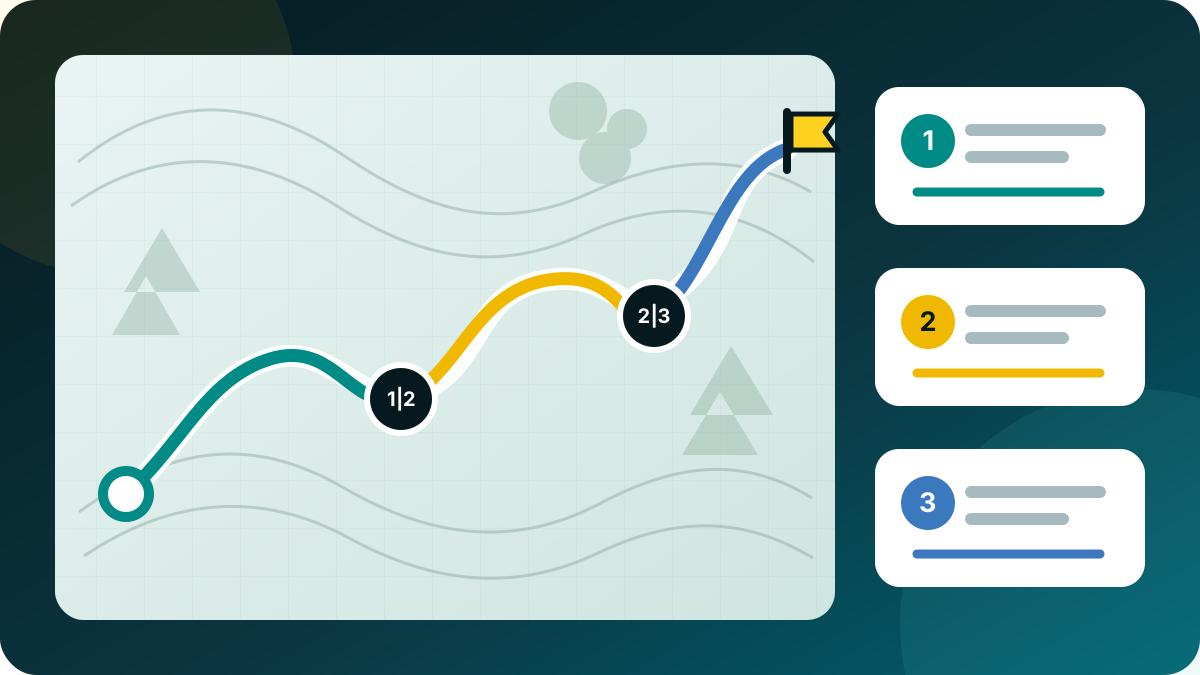

在调整路线中将多个控制点标为拆分点,并编辑建议的路段名称。所有路段会一起保存,源路线保持不变。
在对象浏览器中选择至少两条规划路线,然后打开合并路线。可将建议的部分上移或下移,并在需要时明确反转任一部分。
每个间隙可选直接连接或沿道路。沿道路需要启用本地 Mapsforge 矢量地图。如果寻路失败,MapTools 不会悄悄改用直线;必须另行确认。
将两个点标为 A 和 B,只重新计算它们之间的部分,或在确认后直接连接。还可添加一个偏好点来引导绕行,而路线其余部分的形状不变。
停止菜单区分短暂停顿、中断并稍后继续和最终结束。导航服务停止前会保存进度和准确的继续点。只有选择继续后 GPS 才会重新启动。将剩余部分保存为新路线仍是单独操作。
编辑内容会写入可恢复的草稿,并显示正在保存、已保存或错误状态。在后台结束或电池耗尽后,会恢复最后一次验证成功的状态;失败的写入不会覆盖原路线。结果仍是标准路线,可通过项目文件、GPX、KML 和 GeoJSON 交换。
已记录轨迹不会像规划路线一样重组。用作新路线会创建可编辑副本;轨迹的删除点模式仍只保存清理后的轨迹副本。
记录质量
轨迹记录期间,MapTools 使用设备内置 GNSS 生成轨迹。网络、被动和最后已知位置仍可辅助地图定位,但不会在未提示的情况下混入轨迹。
可疑位置序列会被短暂检查,且不会替换最后一个可信点。回到原路径时从那里继续;确认的新区域或较长的接收中断会开始新分段。距离、高程和导出不会跨越中断创建虚假连接。被拒绝的原始位置不会保存,轨迹详情只显示汇总计数。这可减少常见跳点,但不能保证识别每一种 GNSS 错误。
轨迹记录
记录面板仅启用自动、高精度、导航、均衡、省电或自定义中的一个模式。
自动:先短暂高精度启动,通常为均衡;导航或稳定快速移动时为导航;Eco 或电量不高于 20% 时为省电,25% 时恢复。低温只警告。
自定义:时间(1、2、3、5、10、15、30 秒;1、2、5、10 分钟)或距离(3、5、10、20、50、100 米)。质量和静止保护保持有效。更改从下一个可用 fix 起生效,服务和日志会在后台及进程重启后保留设置。
| 配置 | 时间 | 移动 | 精度 |
|---|---|---|---|
| 高精度 | 1 秒 | 3 米 | 10 米以内 |
| 导航 | 2 秒 | 3 米 | 20 米以内 |
| 均衡 | 5 秒 | 5 米 | 25 米以内 |
| 省电 | 15 秒 | 10 米 | 40 米以内 |
这是 MapTools 规则,不保证 GNSS 时间。省电不是 Android low-power provider。
查看与分享
将规划路线和已记录轨迹制作成清晰的地图,搭配所需数据。保存为 PNG,无需额外应用即可使用。
总时间、不含暂停的时间和用户明确暂停的时间分别显示。平均速度和配速会说明时间基准;技术性 GPS 中断不会计为暂停。平滑最高速度会排除孤立的位置跳变。
包含地图和数据的摘要以及已有的路线海拔剖面可在 Free 中使用。已记录轨迹的海拔剖面和 PNG 导出属于 Pro。背景可选择带署名的 OSM 或无底图;不会导出 Google 以及使用权限不明的地图源。独立的海拔剖面 PDF 功能保持可用。
路线显示距离、预计总时间和移动时间、规划速度、休息及海拔剖面,并注明时间模型:徒步模型考虑坡度,其他模型采用恒定速度。轨迹显示有记录依据的实际时间;缺失的时间或休息不会被填为零。结束路线导航不能代替轨迹记录。
可选择完整轨迹、裁去两端或仅数据。裁切距离可调,轨迹线、数据和剖面统一对应保留的路段。轨迹过短时不会自动退回完整轨迹。裁切时不显示槽位中的其他内容,原始记录保持不变。裁切并不保证匿名。
地图在左、数据在右,地图在上、数据在下,或将地图和数据分别保存为两张 PNG,均不含标题区。细轨迹线以及带轴标签、主网格和辅助网格的海拔剖面便于阅读。数据位于地图外。两张图片也可以单独导出。
在固定画框内平移、缩放和旋转地图,选择正北朝上或适配轨迹。栅格地图文字会随地图一起旋转。可选数据、配速、日期、剖面、颜色、线宽及明亮/暖色风格,并保留上次设置。网页尺寸为 2000 px,大图为 3000 px;地图质量取决于来源。可选择保存位置,或为两张图片选择文件夹。支持的槽位内容可选,省略的项目会具体列出。
轨迹修正
可精确清理已保存的记录,而无需将其转换为规划路线。
在清理已记录轨迹 → 移除点中,可直接在轨迹视图、范围滑块或完整点列表中选择一个内部原始点或连续区段。预览会显示将移除的走向和新的直接连接。
网络、被动和融合位置以及孤立的大幅往返跳跃会作为候选项显示。MapTools 绝不会自动删除这些点,决定权始终属于用户。
清理结果只会保存为新的修正副本。原始记录、时间戳、记录事件、活动边界、真实分段间隔和媒体均会保留。也支持没有起点和终点标记的旧轨迹;通用几何编辑器仍仅用于规划路线。
分步指南
打开现有路线,添加希望经过的控制点,将范围标记为A和B,并只替换两点之间的路段。路线的其余部分保持不变。
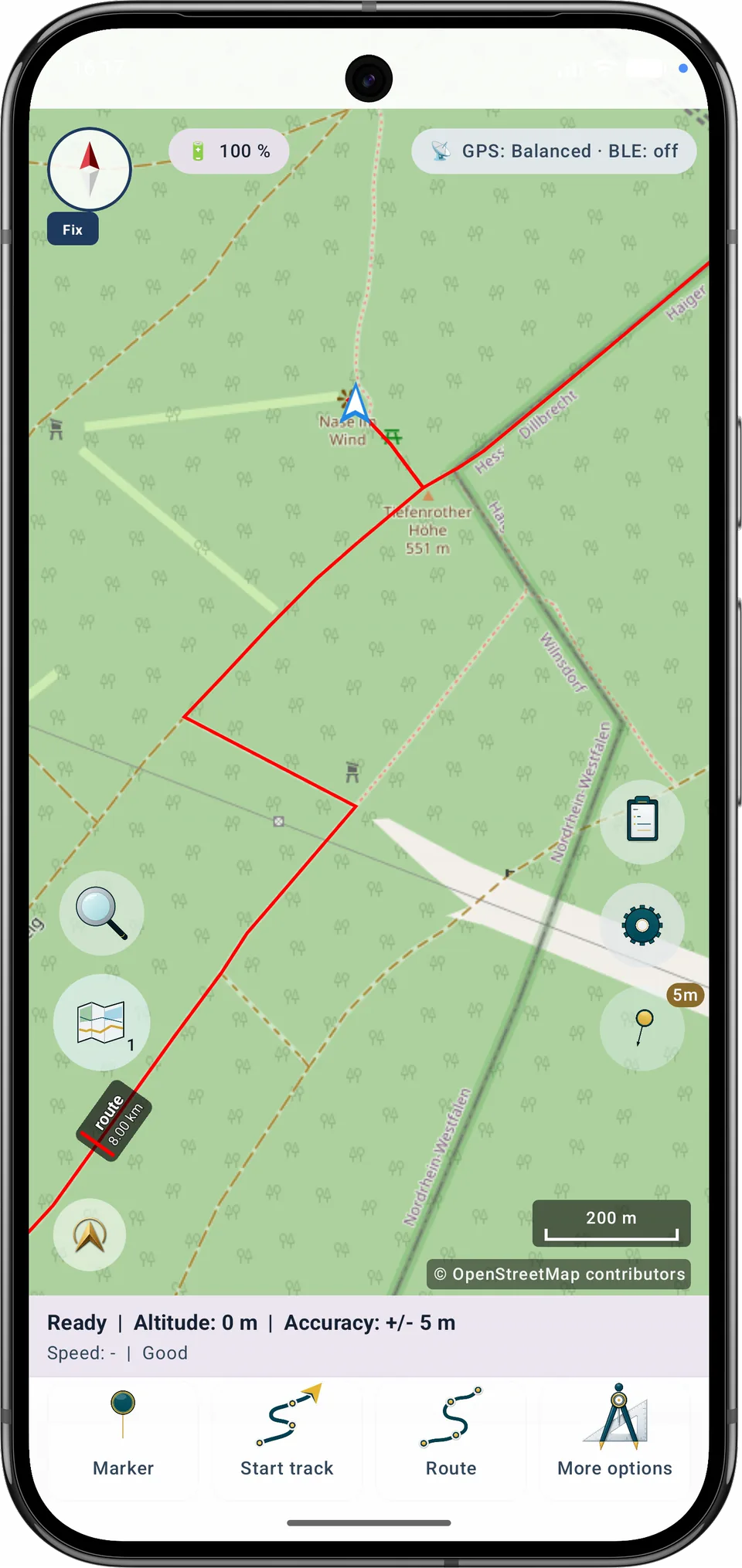
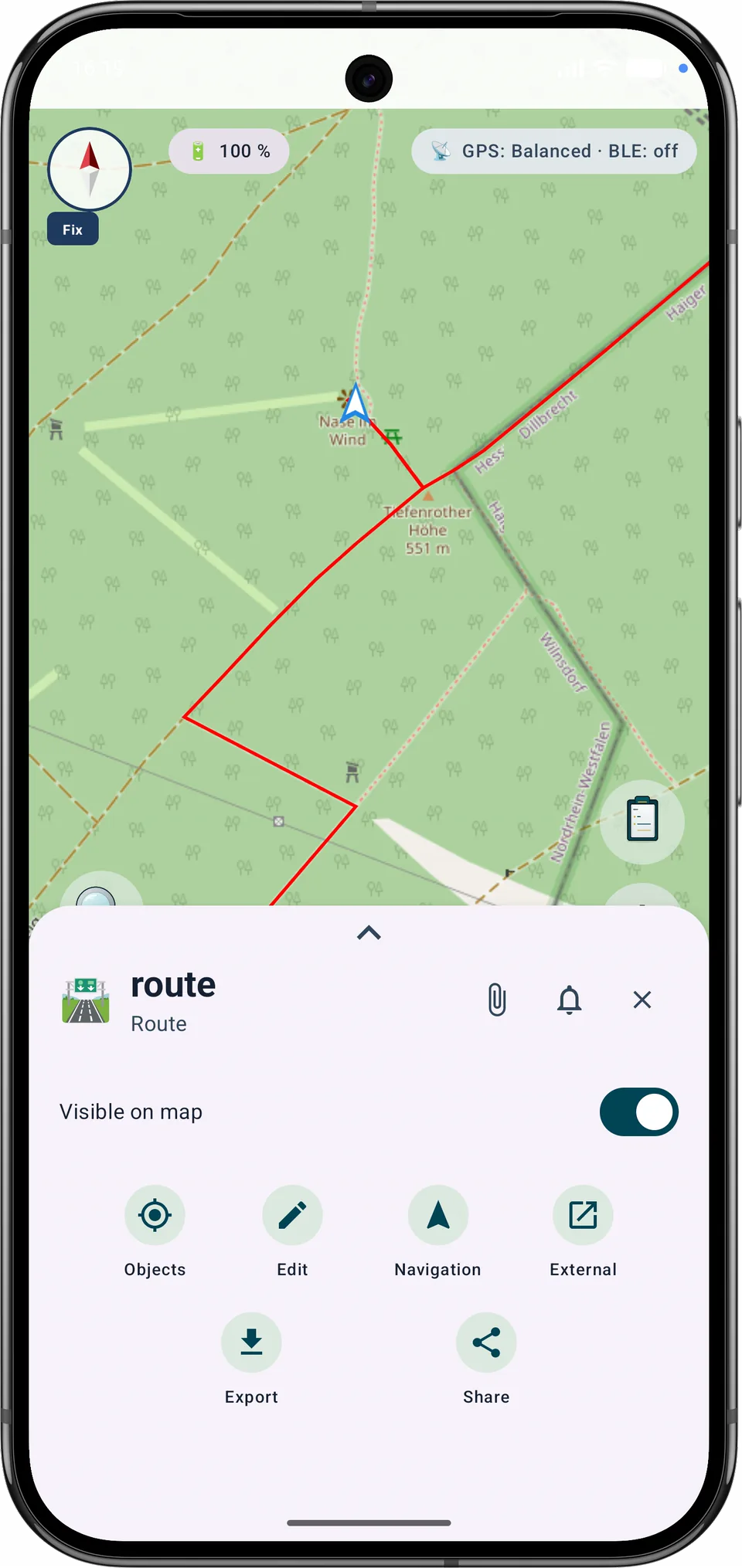
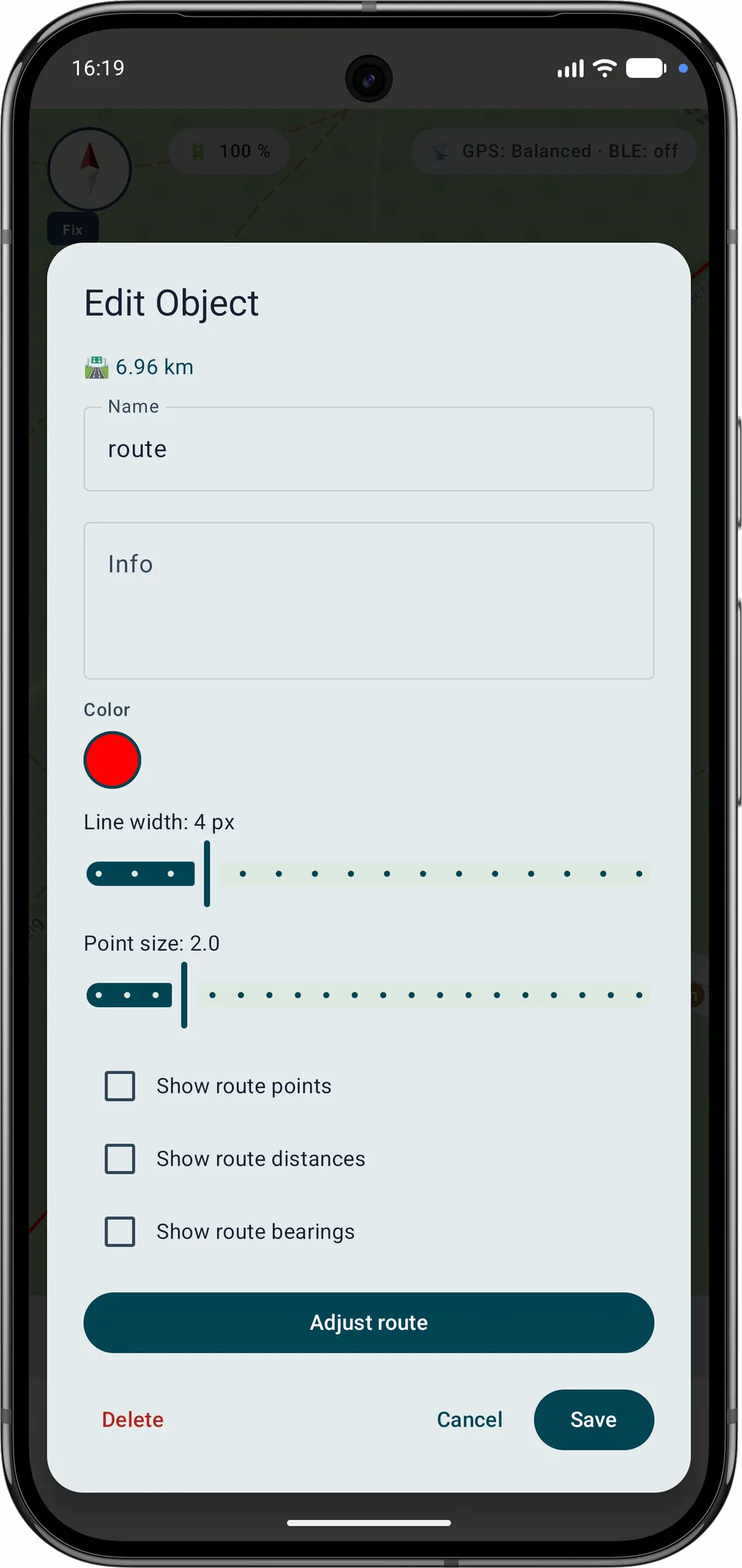
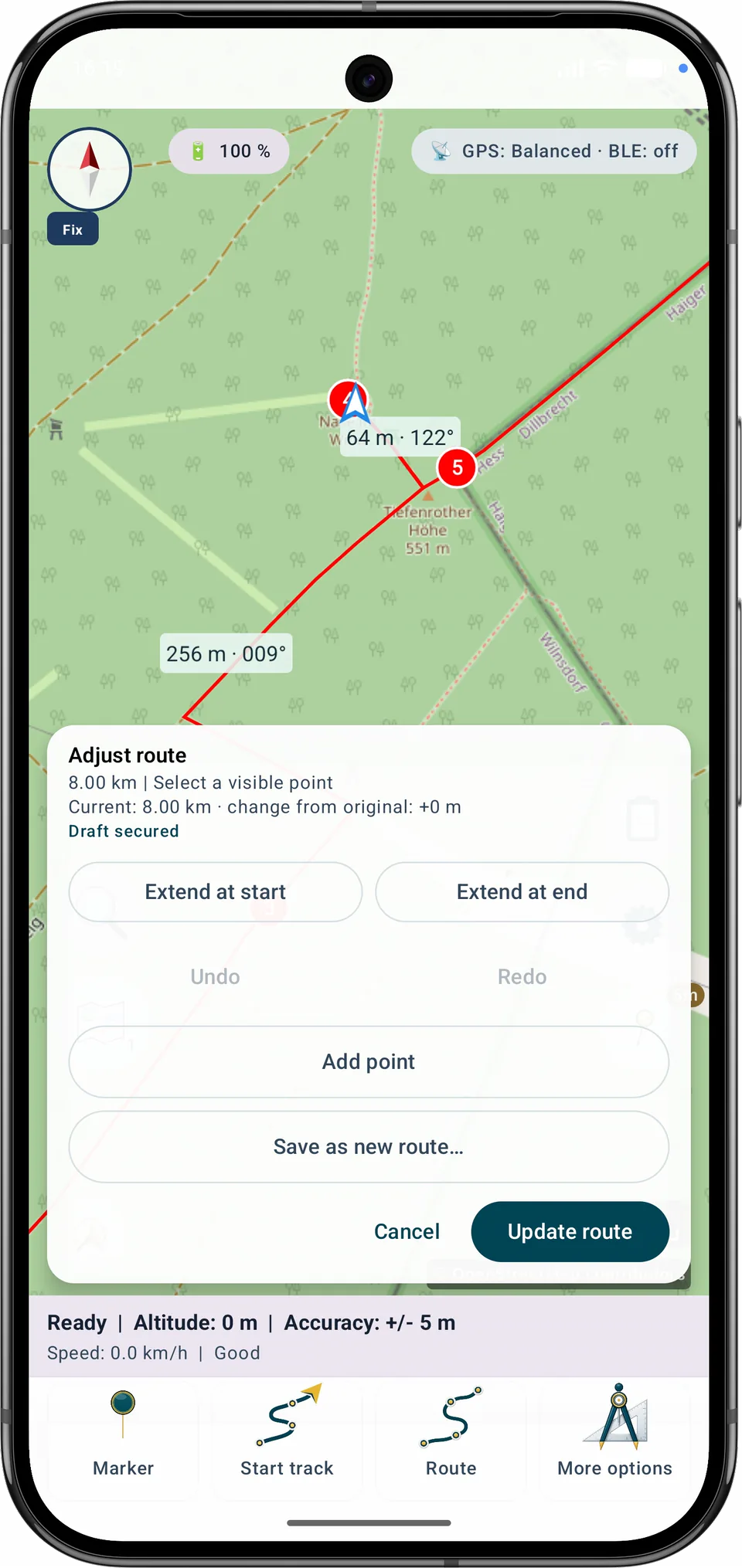
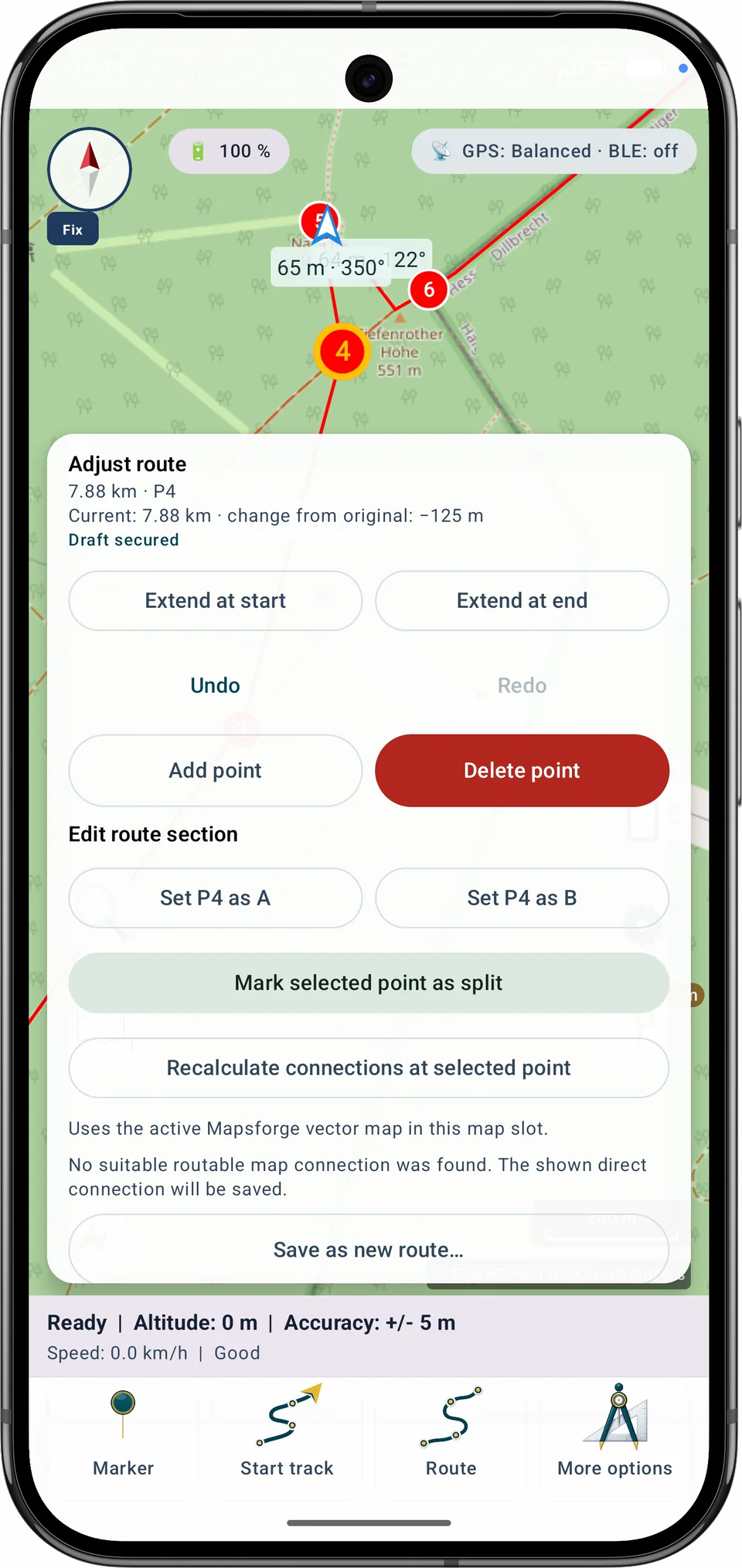
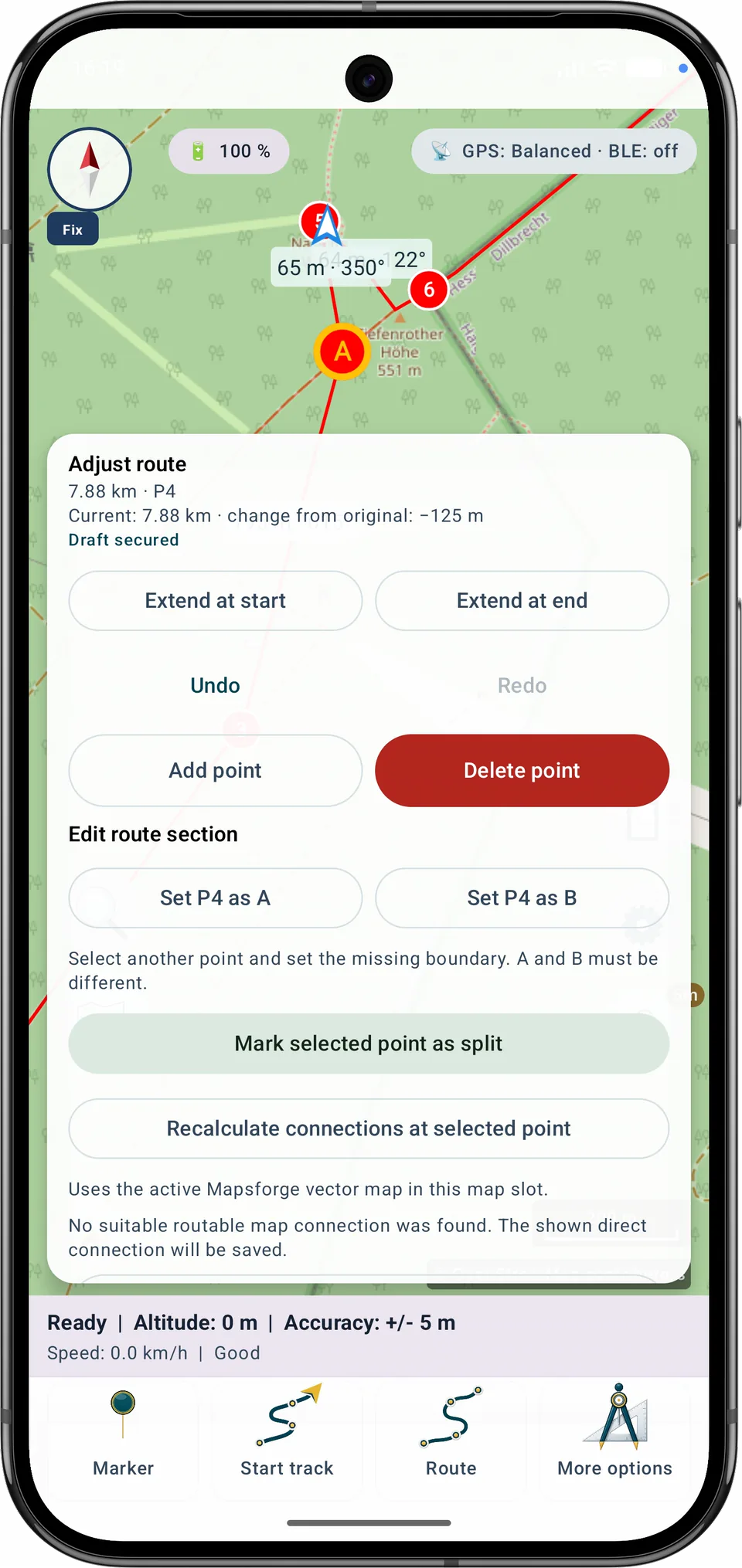
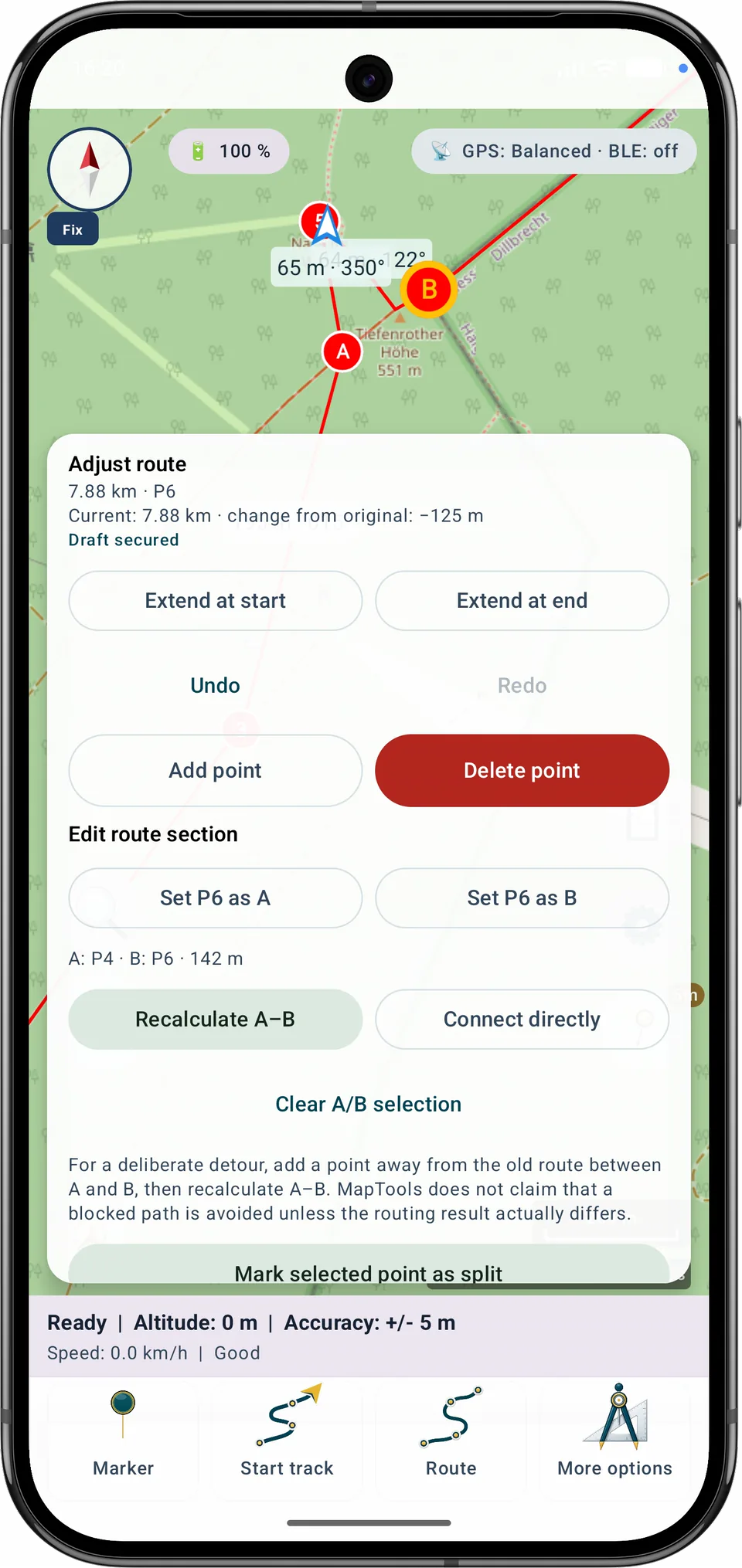
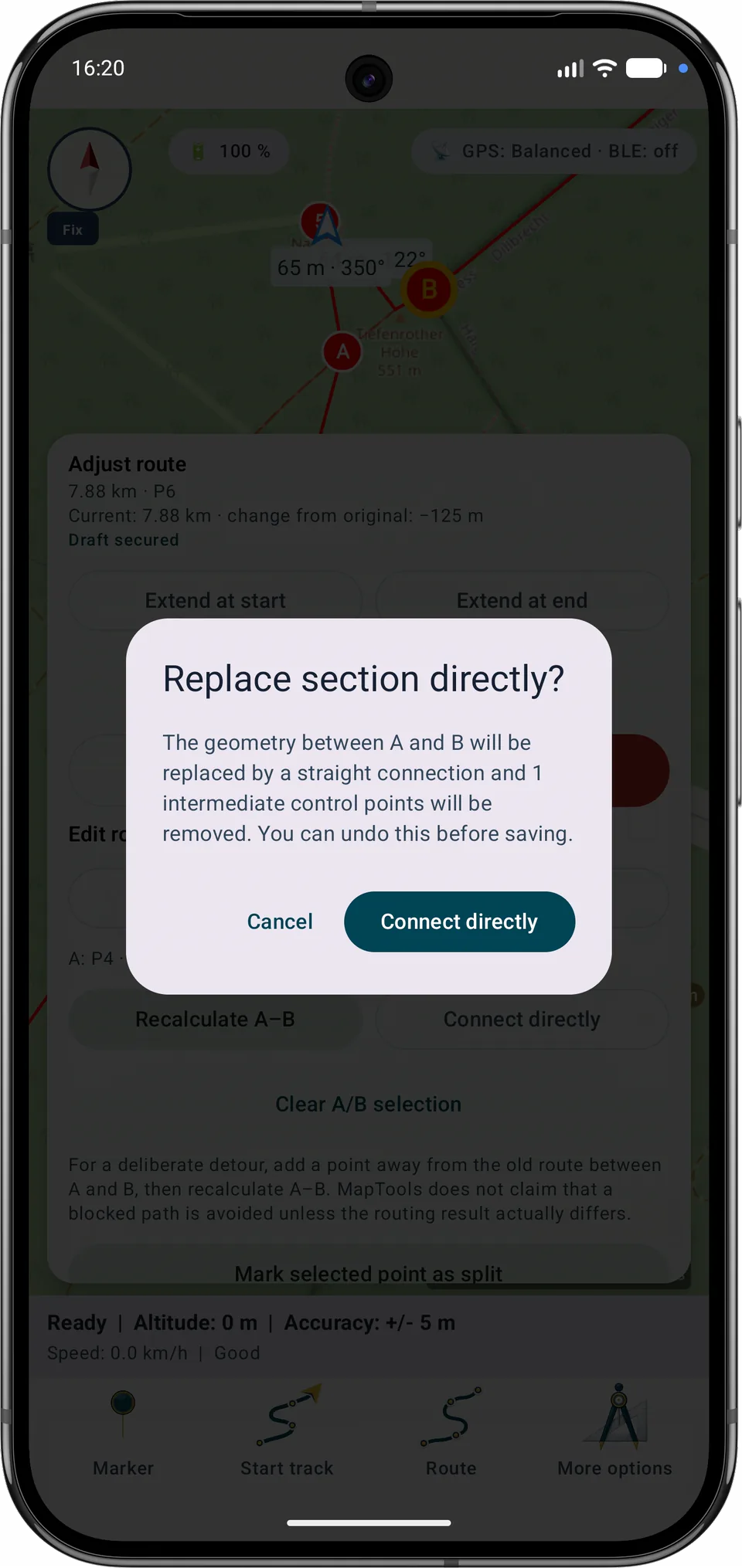
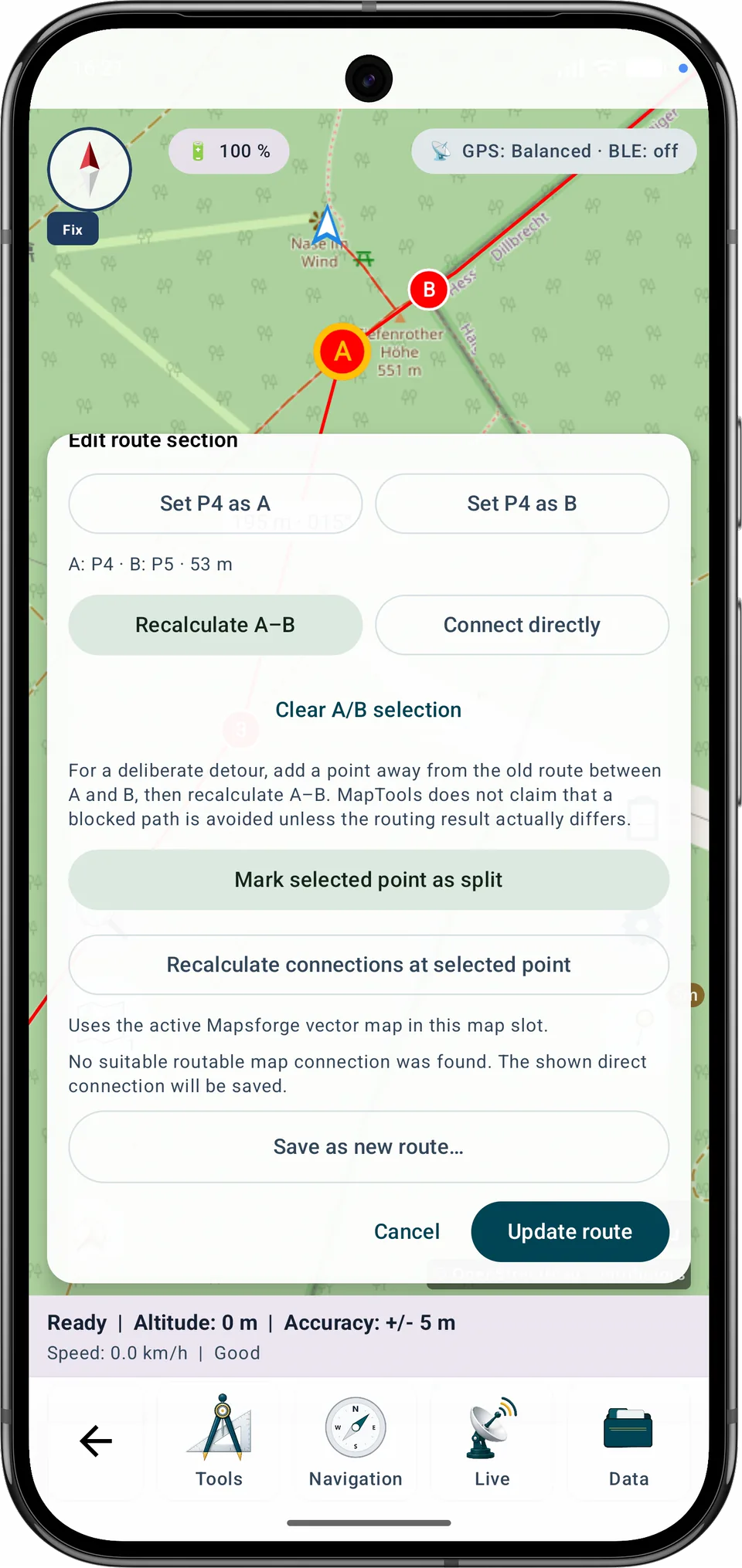
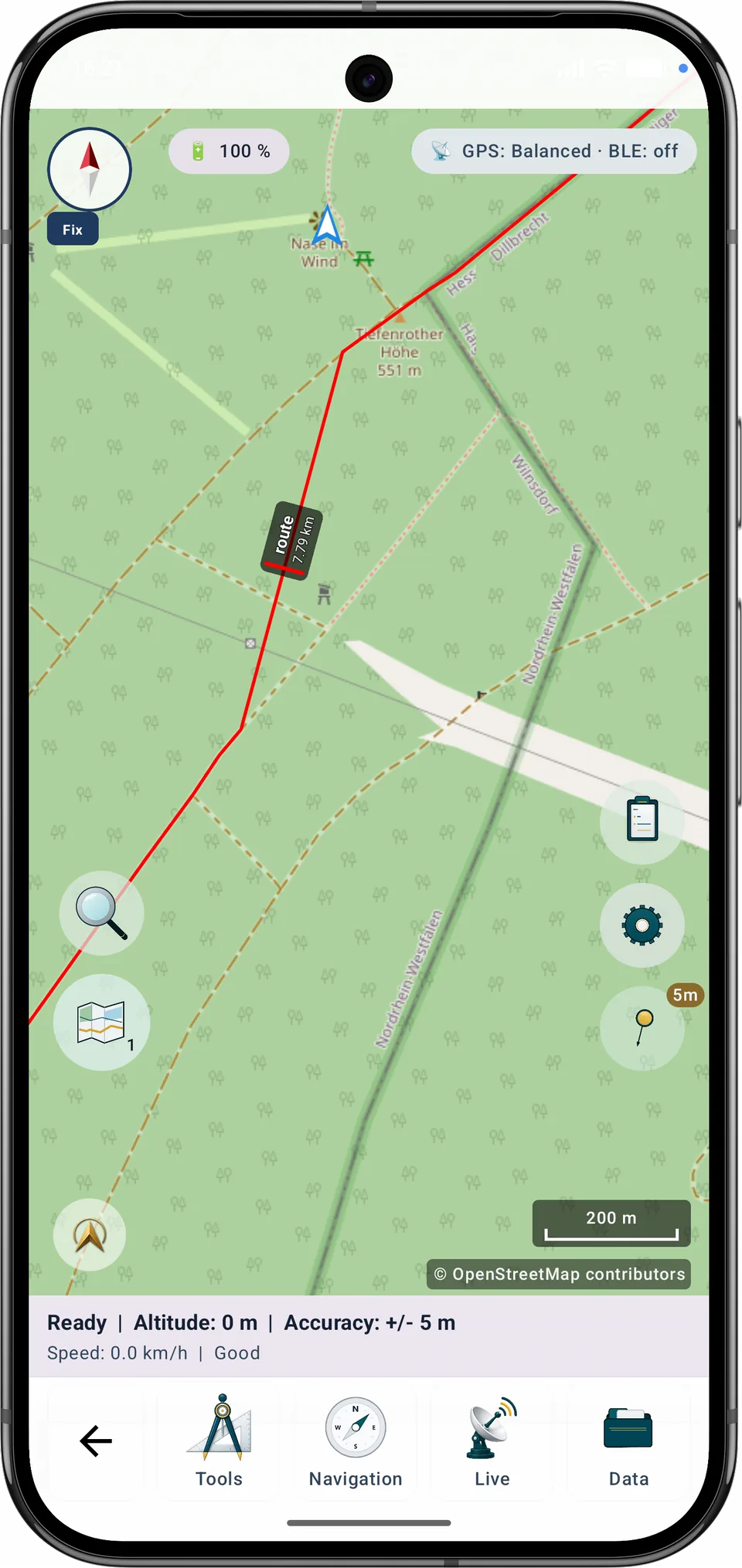
重新计算A–B会使用当前启用且兼容的本地Mapsforge矢量地图。如果找不到合适道路,MapTools不会在未提示的情况下把该路段改成直线。
分步指南
将一个或多个编号控制点标记为拆分点,检查建议的路段名称和点范围,然后保存路段。原始路线保持不变。
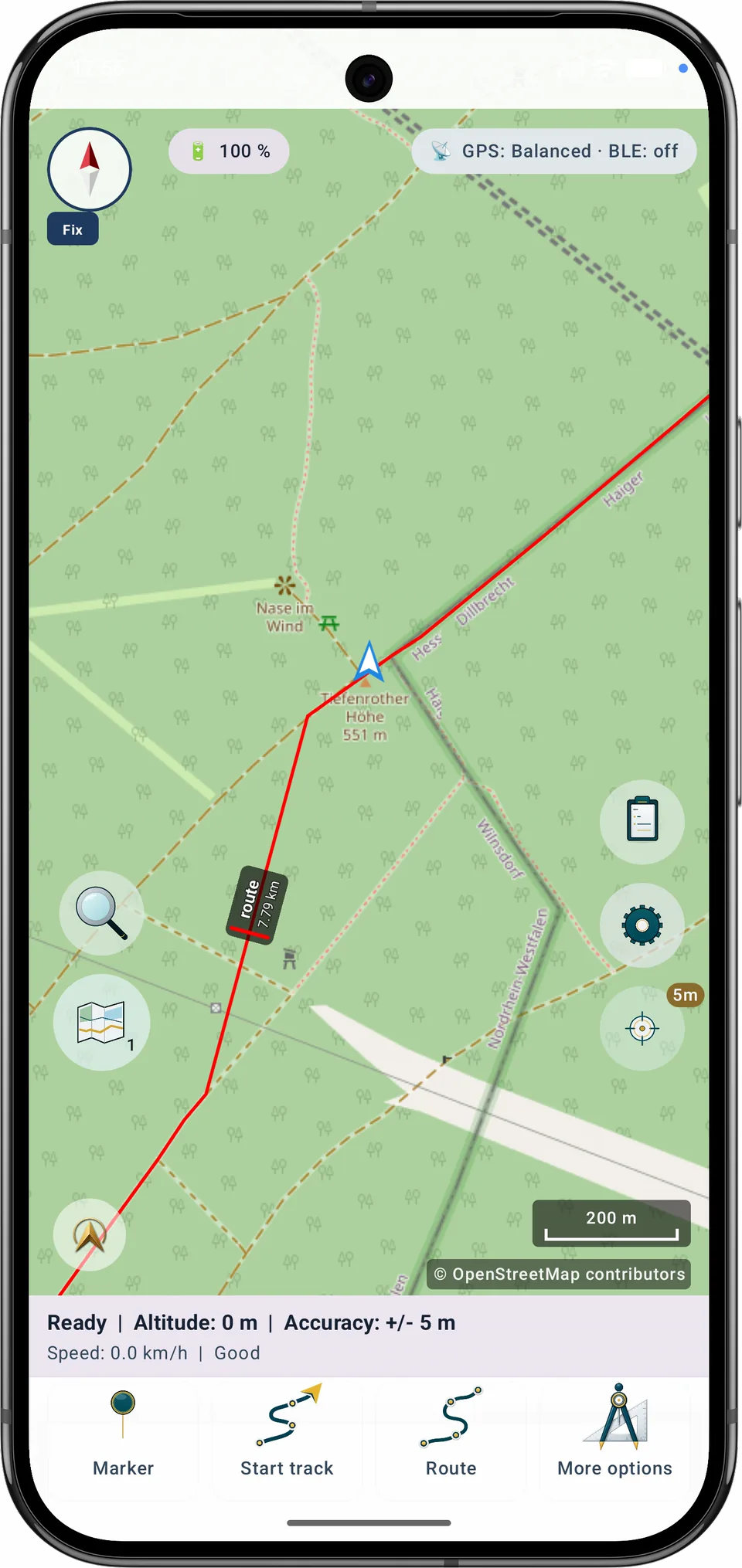
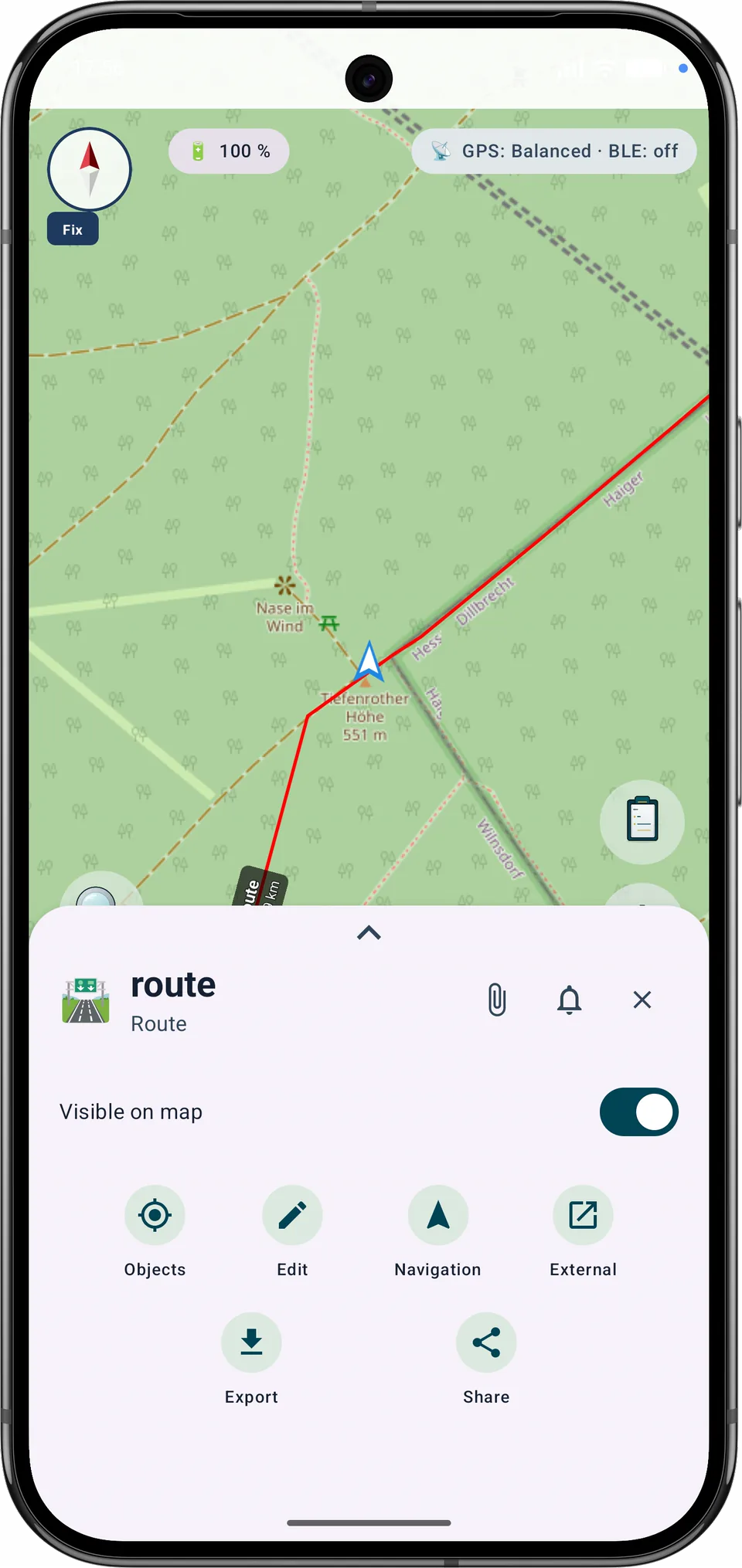
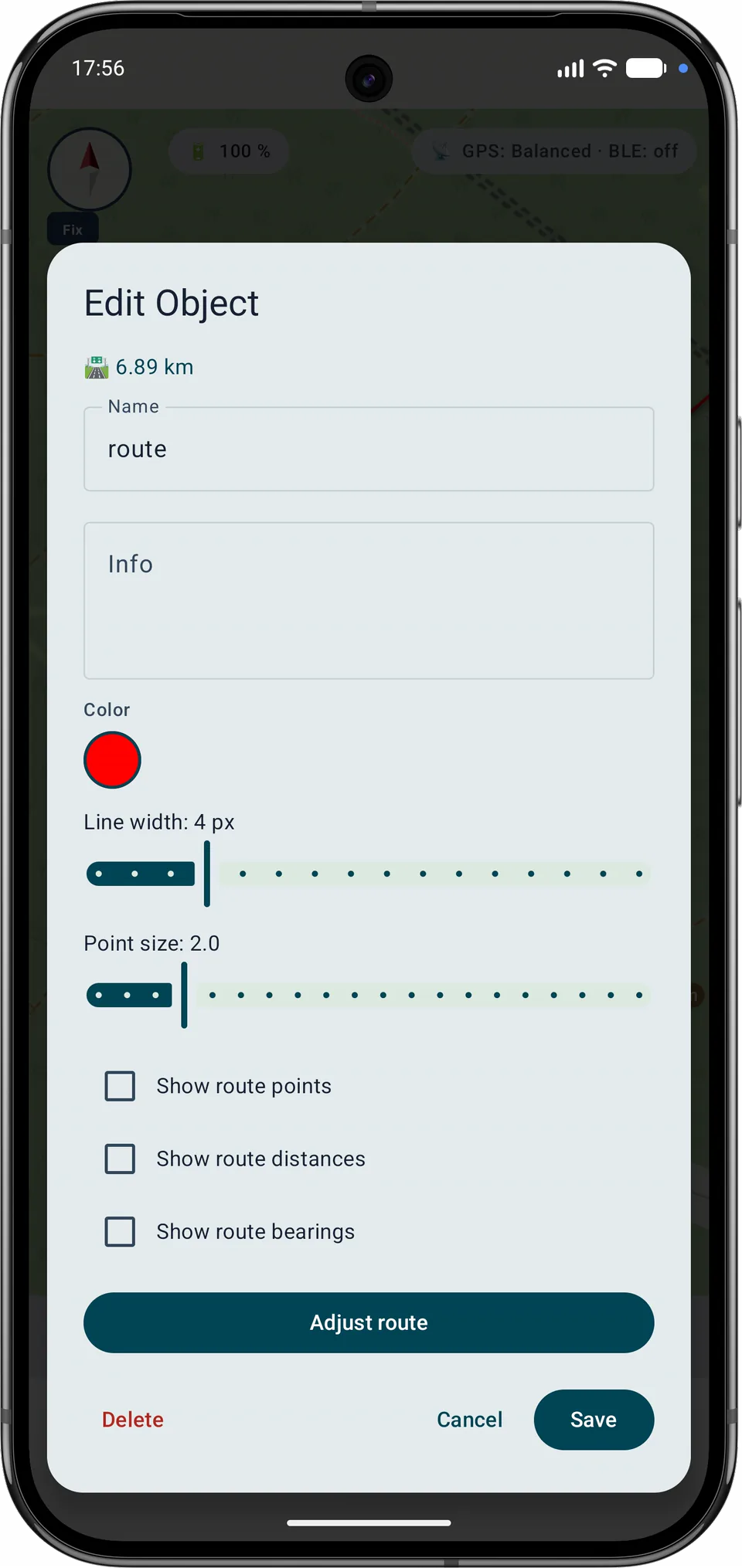
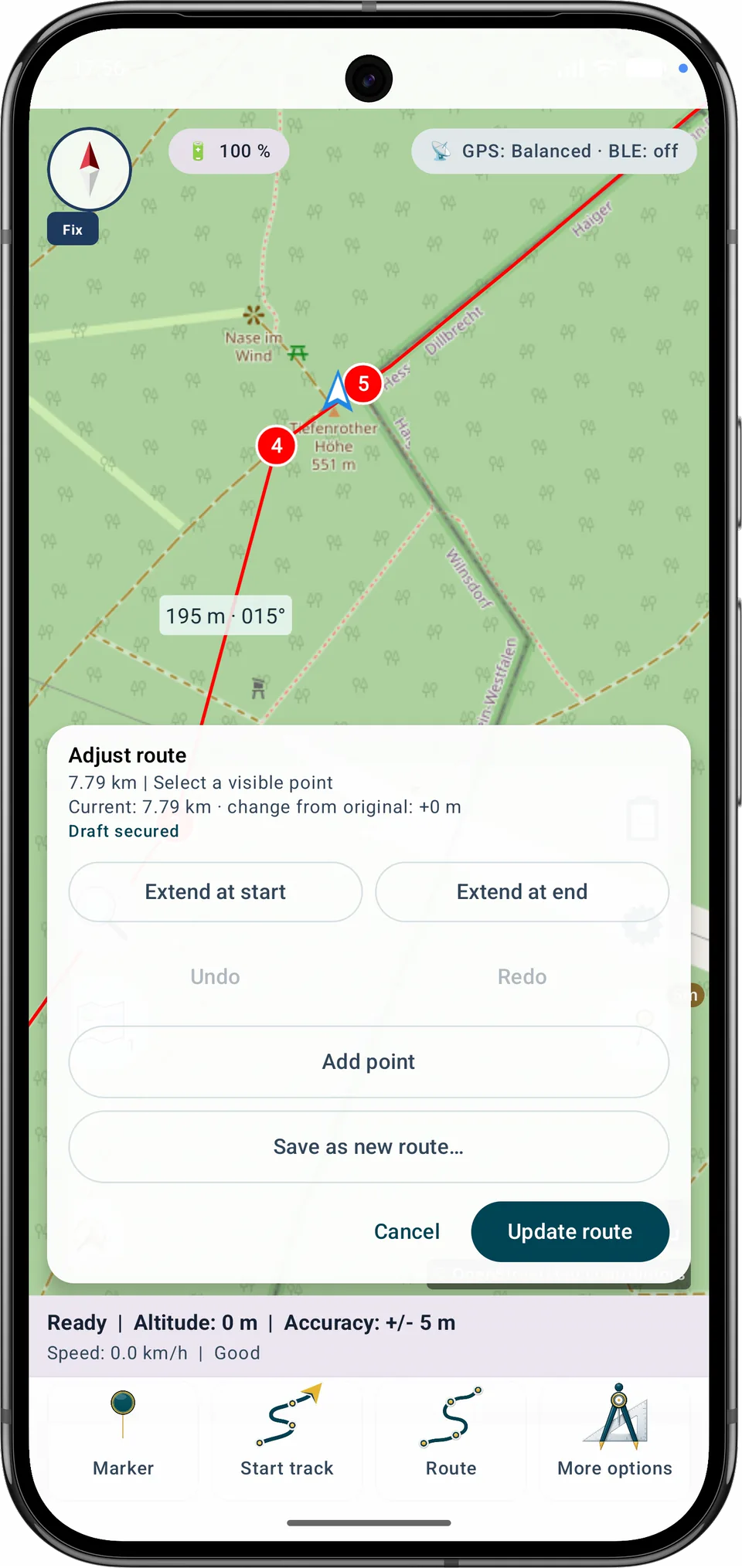
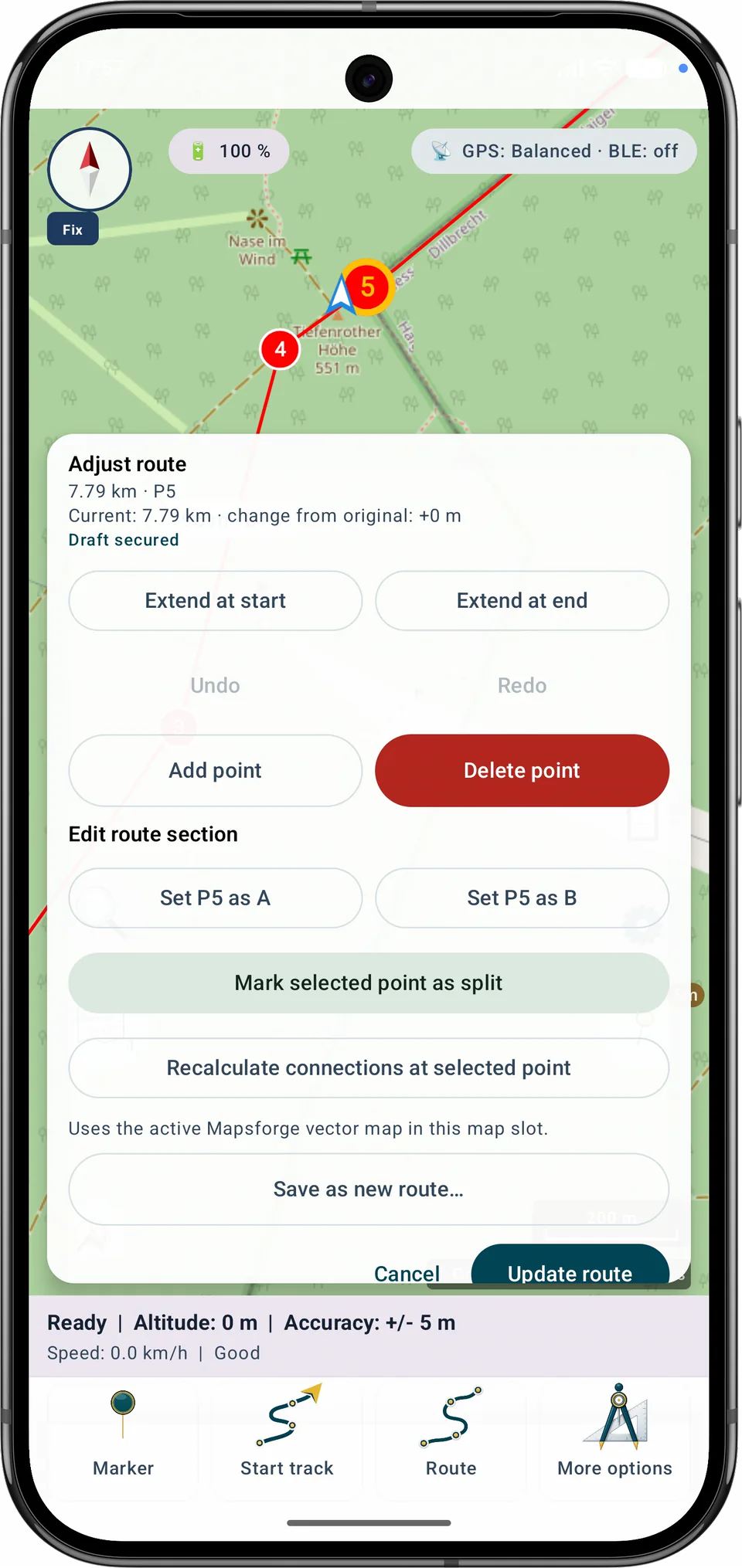
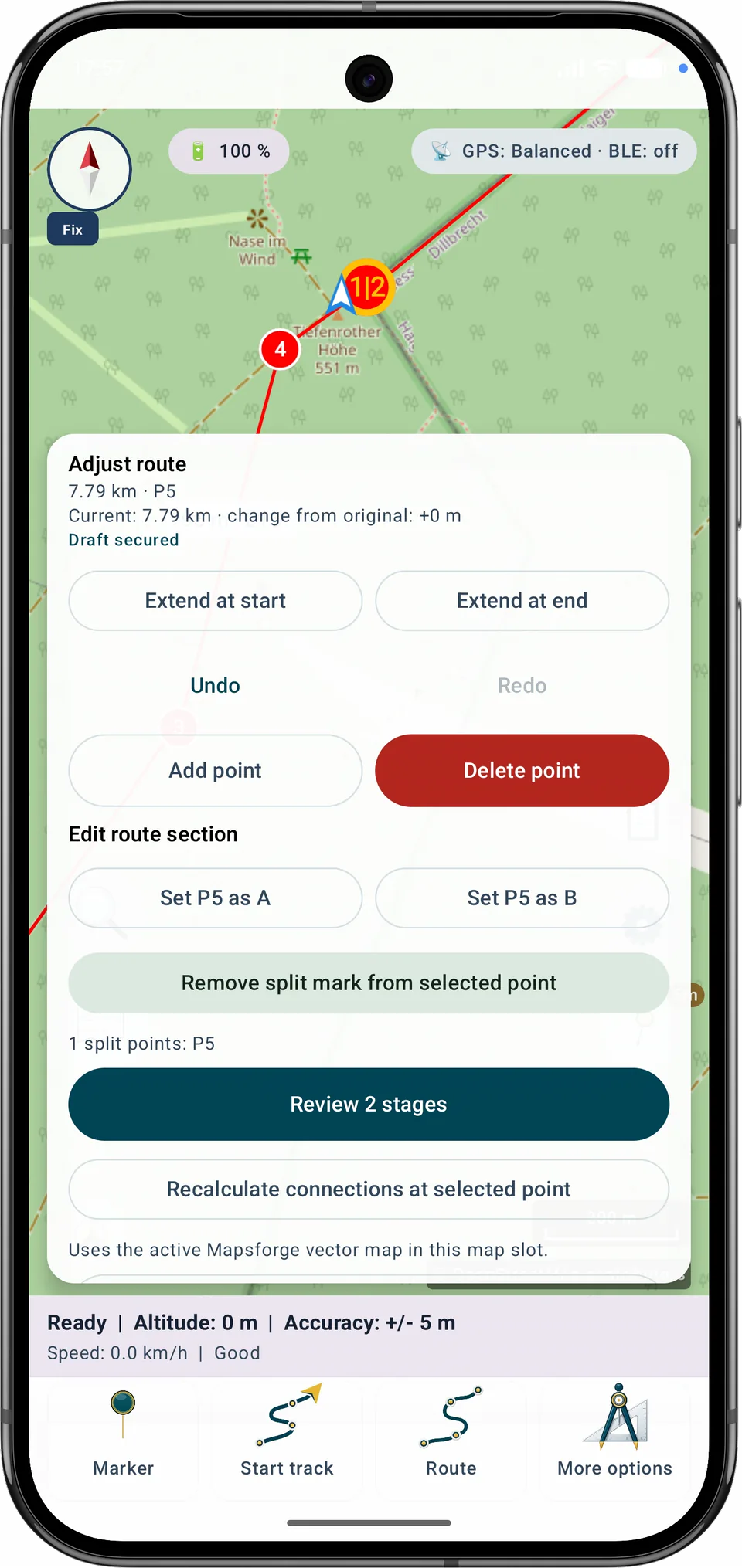
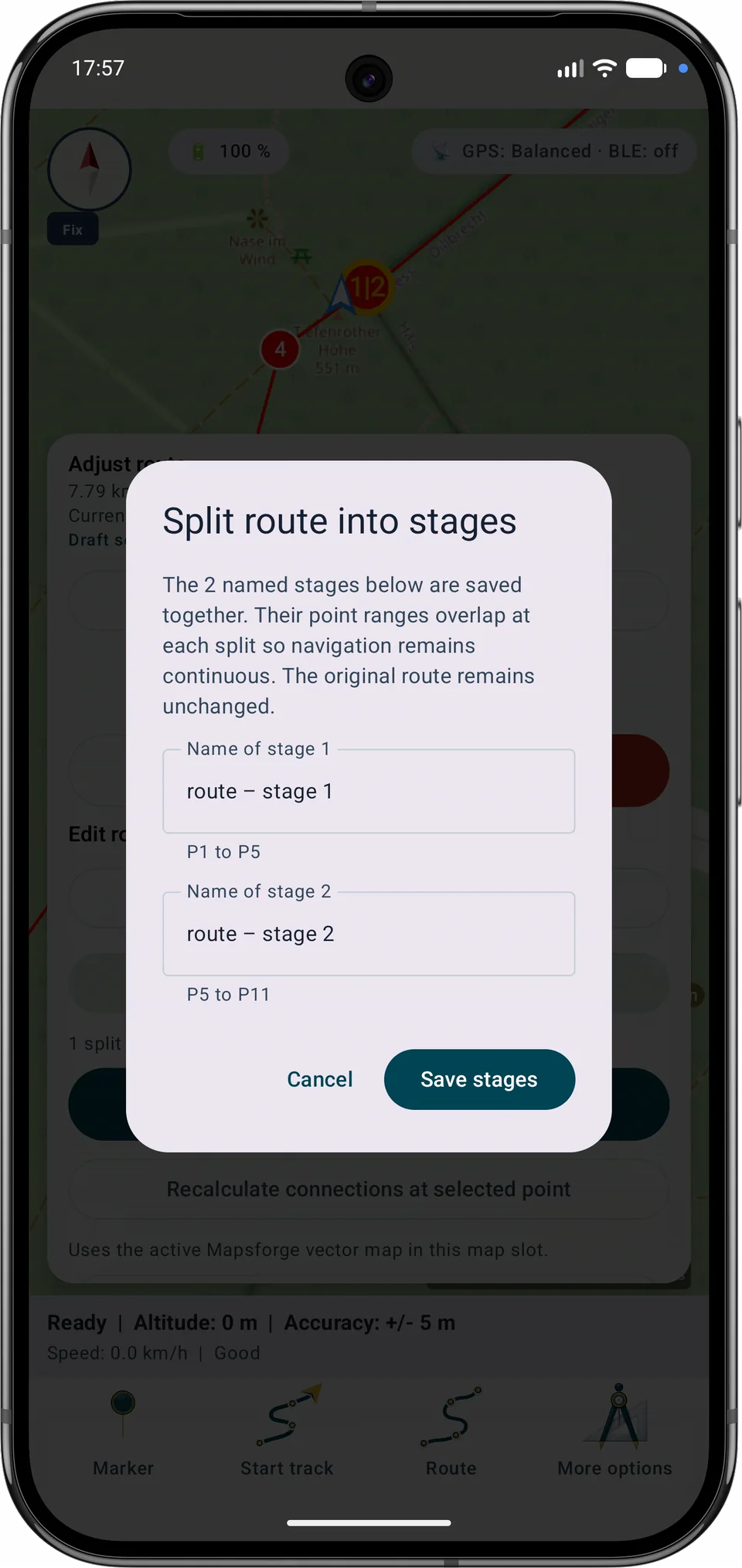
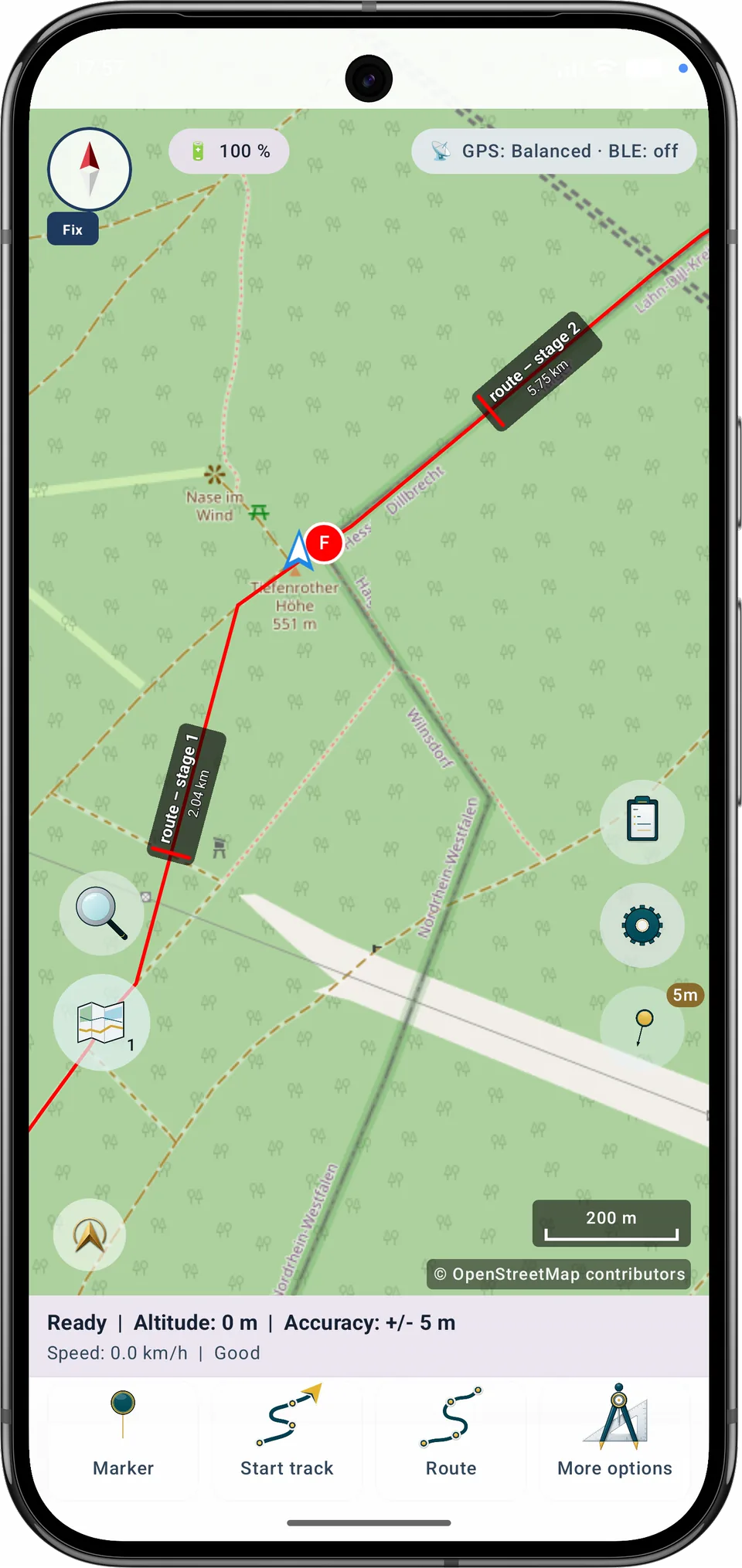
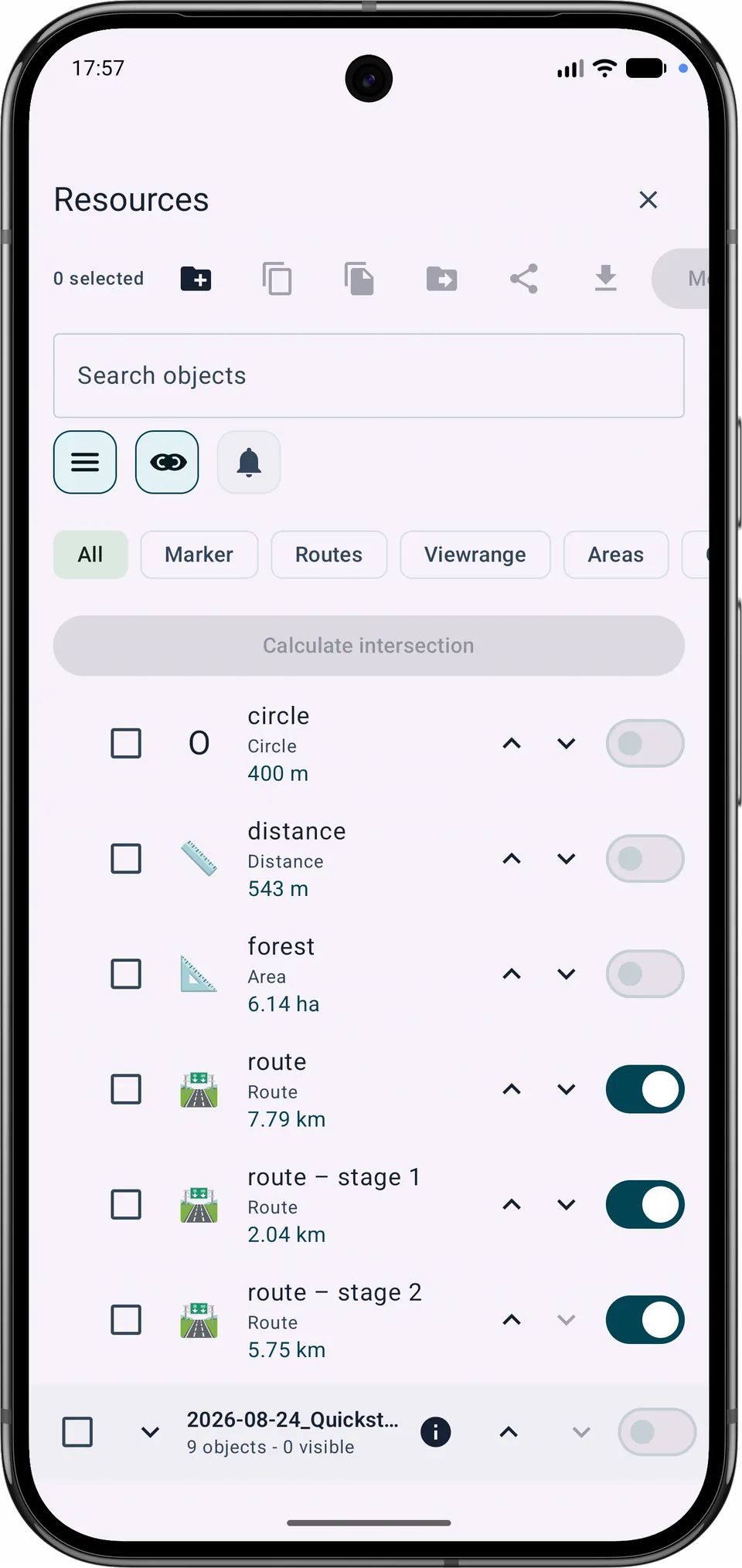
相邻路段会在共同拆分点处重叠,以保持导航连续。每个保存的路段都会成为独立的路线对象,同时保留原始路线。
当前功能
显示的底图与离线路由来源彼此独立。即使显示 Google 或 OSM,也可为自动路线选择合适的本地 Mapsforge 地图。导入的 GPX 轨迹仍可逐个显示、管理和删除。
Free 与 Pro
在 A 和 B 之间重新规划区段、更新路线,或在 Free 限额内另存为新方案,均可在 Free 中使用。合并多条路线以及将路线拆分为多个阶段需要 Pro。
修正最后保存的轨迹
点按轨迹、使用时间或从列表中选择点。淡化部分将被移除。
选择新的终点
轨迹概览。请使用点列表或时间控件进行无障碍精确选择。
靠近轨迹起点 · 靠近轨迹终点 · 无时间信息
点按轨迹、使用时间或从列表中选择点。淡化部分将被移除。
−… 分钟
移除点数:… · 受影响区段:…
新终点后的媒体:… 张照片、… 条备注、… 段音频。它们会保留在项目中。
修正副本名称
原轨迹已关联搜索网格。请改为保存修正副本。
原始几何将缩短到所选点。只要未再次编辑轨迹,即可恢复一次先前版本。
恢复修正前版本
“轨迹”会打开记录控制。开始和结束记录时,需要长按轨迹操作直到进度指示填满,然后再次确认。
点按“路线”以创建、编辑或选择路线。导航期间,停止操作采用与轨迹记录相同的有意长按和确认方式。
原轨迹正用于导航。请停止导航或保存副本。
记录配置
打开“导航”→“记录”,检查记录模式并主动开始轨迹记录。您可以暂停、继续和停止。停止后,记录将保存为轨迹。 只有在您实际开始记录时才会请求权限。
录制带位置信息的语音备注
快速采集需要当前位置。
每次记录属于独立会话。发生中断后,MapTools只补充日志中缺失的末尾;暂停仍会在地图、.asmaps、备份和GPX中保留为独立轨迹段。
自动恢复快照会在本地保存进行中的项目工作。它们不能替代手动完整备份。
自动模式会根据电池电量、电池温度和 Eco 模式,从四种 GPS 配置中选择一种。
数值:最短时间 · 最小移动距离 · 可接受的最大误差。
根据导出选择,属于项目或所选对象的照片、PDF 和音频备注将嵌入项目文件。
附件可能包含私人图片、文档、声音和位置元数据。请仅在确定需要时包含。
每次记录属于独立会话。发生中断后,MapTools只补充日志中缺失的末尾;暂停仍会在地图、.asmaps、备份和GPX中保留为独立轨迹段。