
Vector layers
ベクターレイヤーには個別の形状が含まれます。計画データ、境界、検索エリア、ルート、トラック、インポートしたプロジェクト情報に役立ちます。
特徴
地図、オフライン データ、地形、プロジェクト、ナビゲーション、ライブ ツールが 1 つの Android アプリに含まれています。
機能範囲
Some features intentionally have limits in the free edition. The Free/Pro table shows the main differences for projects, objects, routes, areas, imports, exports, offline data, Remote ID and AR/LiveView.
利用規約
ArxSilex MapTools uses these terms deliberately. They make it clear whether a file is used as a base map, editable geometry, image overlay or elevation data source.
| Term | Short definition | Examples |
|---|---|---|
| Maps | Base maps used as the main working view. | OpenStreetMap, OpenAndroMaps, offline .map, MBTiles as a base map |
| Vector layers | Additional object, line or polygon data above the map. The content consists of points, lines or areas and can often be displayed or evaluated individually. | GPX, KML, GeoJSON, Shapes, KML polygons, GeoJSON areas, GPX tracks as overlays |
| Raster overlays | Georeferenced image or tile data above the map. They are placed as a finished image surface and are not interpreted as individual objects. | GeoTIFF, MBTiles, image maps, aerial imagery, scanned maps, georeferenced plans |
| Elevation data / terrain | データソース 標高値と地形解析に使用されます。狭義の表示地図ではありませんが、高さ情報を提供します。 | HGT, DEM GeoTIFF, ASC, DTED |
| Map style | Rendering rules for vector maps. The style defines colors, symbols, paths, POIs, contour lines and other map elements. | OpenAndroMaps render theme, Elevate Theme |
| POI data | Search and display data for places and points of interest. | OpenAndroMaps .poi, custom POI files |
ベクターレイヤーには個別の形状が含まれます。計画データ、境界、検索エリア、ルート、トラック、インポートしたプロジェクト情報に役立ちます。
ラスターオーバーレイは地図上に重ねる完成済みの画像面です。航空写真、古地図、スキャン画像、特殊な地図表示に役立ちます。下のベースマップが見えるように不透明度を調整することがあります。
地図、ベクターレイヤー、ラスターオーバーレイは地図上に表示できます。標高データは通常、地点標高、標高プロファイル、陰影起伏、等高線、可視範囲などのツールで使われます。
概要
地図作業、地理データ、方位、現場の文書化にはコア ツールを使用します。
詳細
各ツールが何に役立つのか、どのデータやデバイスの機能が必要なのかを確認してください。
| 特徴 | 目的 | コンテクスト |
|---|---|---|
| 視野範囲 | 利用可能な標高データを使用して、ポイントから可視エリアを計算します。 | 適切な地形データが必要です。出力は解像度とカバレッジによって異なります。 |
| 陰影起伏と等高線 | 地形の形状を読みやすくし、標高プロファイルとポイントの高さを補完します。 | HGT、DEM GeoTIFF、ASC、または DTED を使用します。 |
| スマートインポート | ファイルを適切なターゲット (プロジェクト、マップ、地形、ラスター オーバーレイ、レイヤー、POI、ルート、またはトラック) に割り当てます。 | ZIP や GeoPackage などのコンテナーの場合、コンテンツが重要です。 |
| ポイント詳細 | マップ ポイントは、道路、POI、地形、座標、インポートされたレイヤーのコンテキストを提供できます。 | 詳細レベルは、マップ、タグ、インポートされたデータによって異なります。 |
| Remote ID | パブリックにブロードキャストされた Remote ID 信号を受信し、履歴をエクスポートできます。 | 受信できるかどうかは、地域、デバイス、電波環境、許可によって異なります。 |
| BLE グループ | アプリ所有のサーバーなしで、近くのローカル グループの位置とステータス。 | 一致する Bluetooth/Nearby 権限が必要です。 |
| バックアップと復元 | 選択したアプリのコンテンツを .asmaps.bak ファイルとして保存し、意図的に復元します。 | バックアップには、プロジェクト、設定、プロファイル、POI、グループ、ローカル データを含めることができます。オプションで暗号化を利用できます。 |
| AR/ライブビュー | カメラビューにターゲット、方位、POI、ピーク、トラック、または検索グリッドを表示します。 | センサーの品質とデバイスの互換性が決定的です。 |
ジオパッケージ
GeoPackage は、引き続きマップ、タイル コンテナー、およびフィーチャ レイヤーを対象としています。地形フィーチャには HGT、DEM GeoTIFF、ASC、または DTED を使用します。
??
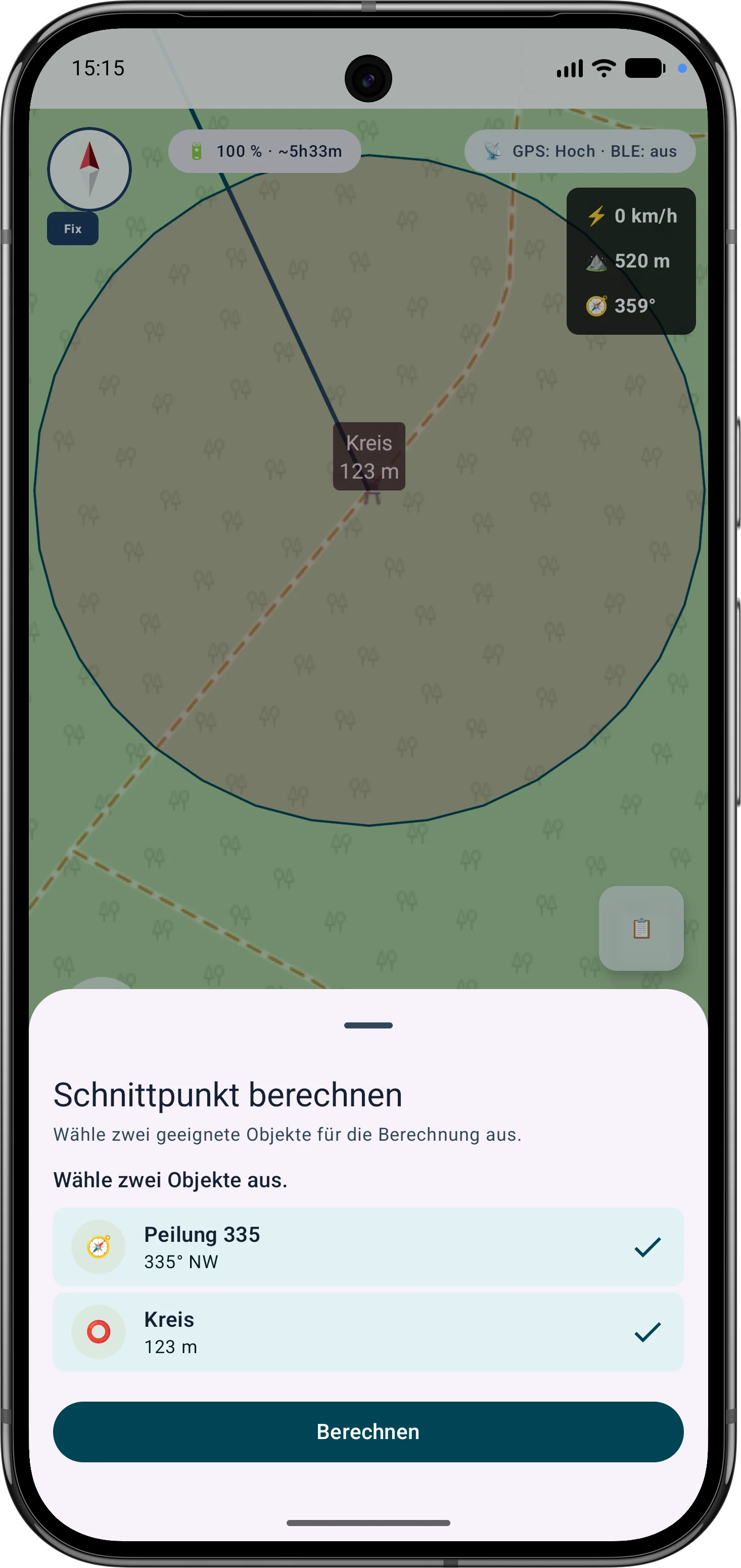
The current tools support more guided measurement and correction workflows so existing objects do not need to be recreated.
The app guides the selection of suitable bearings, circles or measurement objects, calculates intersections and can save the result as a marker.
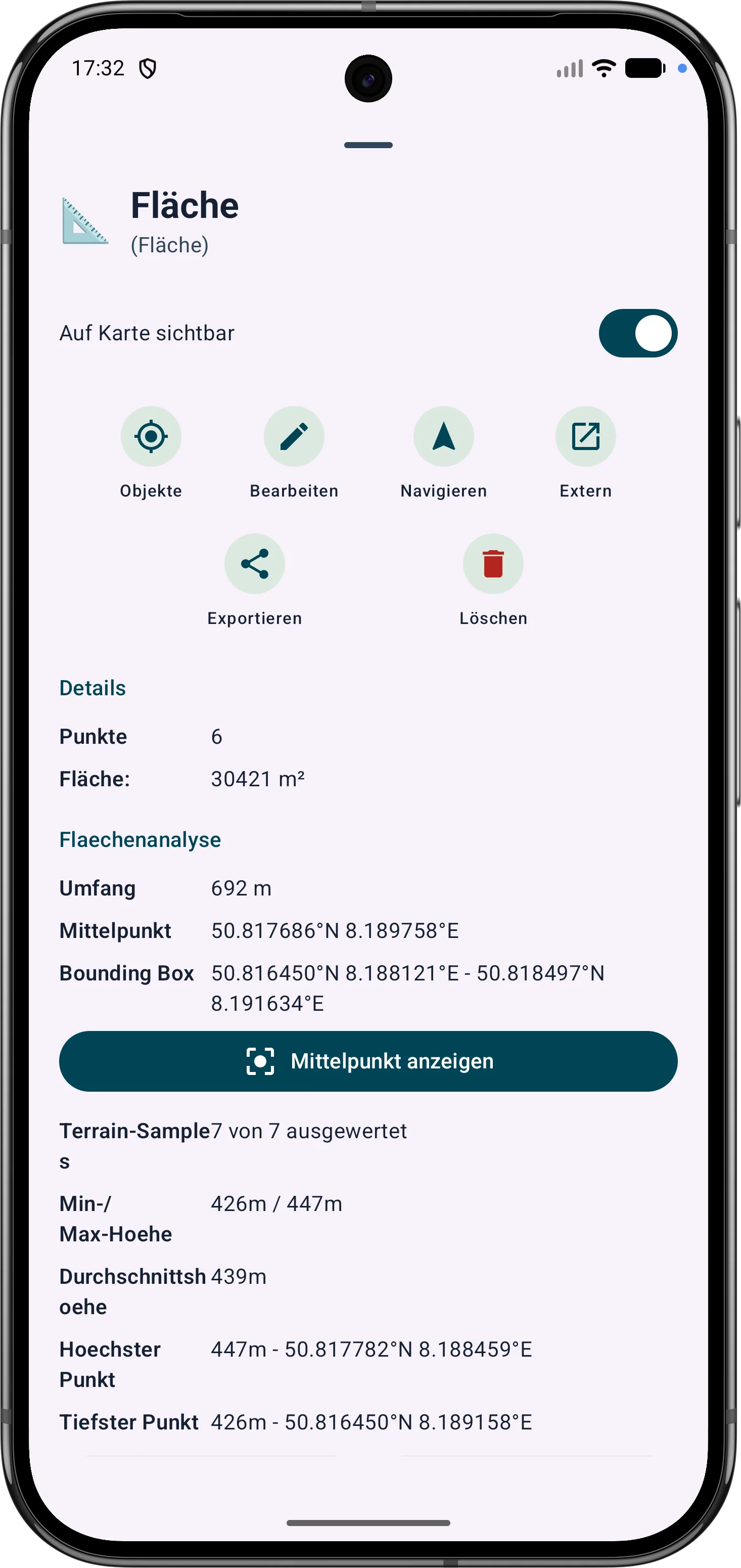
Polygon areas can be refined through their vertices. Side lengths, interior angles and distances help correct boundaries in the field.
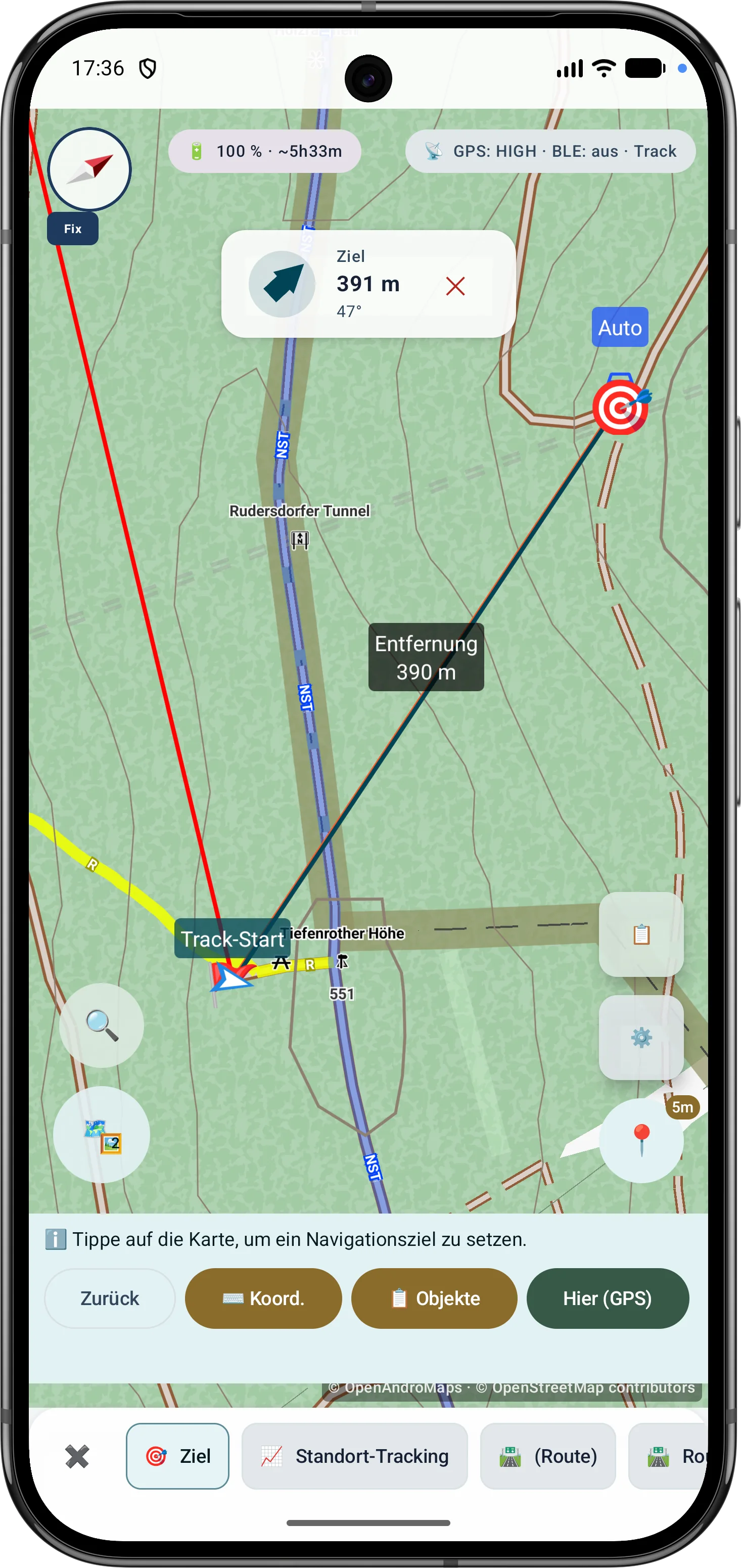
Route points and segments can be adjusted later. Bearing, distances and direction angles remain visible and understandable on the map.
最新 Scope
These capabilities are especially relevant in the current app version and are grouped here.
Bearings, circles and measurement objects can be combined in a guided flow to determine intersections and distances.
Polygon areas can be refined later through their vertices while side lengths, interior angles and distances stay visible.
Route points and segments can be adjusted later with bearing, distances and direction angles.
アウトドアコンパスは、ナビゲーション、方位、目標合わせ、地図作業を支援します。センサーソース、磁場評価、表示モード、移動中の GPS コースが分かりやすく表示されます。
Drone reception shows BLE, Wi-Fi NAN, Wi-Fi Beacon, operator/system data, diagnostics and optional export where device and signal source support it.
サブメニューはよく使うツール順に並べ替えられるため、現場で重要な機能にすばやくアクセスできます。
GPSとマーカー
最新の GPS 測位値は検証され、重み付けされ、ロバスト統計と組み合わせられます。
使用された修正、報告された精度、P68、P95、およびセンターの安定性がデータ基盤を明らかにします。
追加のセッションは、制御された独立した 90 分のウィンドウを通じて結合されます。
座標変換、MAD フィルタリング、精度重み、フーバー推定、パーセンタイルについて順を追って説明します。
フィールドデータ
MapTools は屋外測定に実用的な文脈を保存し、記録したデータをあとで確認しやすくします。
マーカー、ライン、ルート、方位、エリア、ViewRange/可視範囲では、カラーフィールド、RGB/Hex入力、現在色と選択色のプレビューを使用できます。お気に入りは、グローバルなオブジェクト色と、エリアおよびViewRange用の個別のお気に入りとして整理されます。
トラックには、タイムスタンプ、行動時間、トラックセグメントによる休止、休止位置、GPS精度を保存できます。トラックポイントは、記録されている時刻、休止、品質データを情報シートに表示します。
端末が提供する場合、GPS/RTK品質データはトラック、マーカー、エリアポイント、方位、ViewRangeに保存され、表示されます。自由に配置したマーカーには、有効な標高データがある場合に地形高度が追加されます。
ルートをたどる
ルートをたどるは、ジオメトリから得た方向変化による最小限の案内、または静かなコリドー監視を提供します。一時停止、警告確認、コンパクトな地図表示は長いツアー向けです。
地図配信元
公開または非公開の HTTPS サービスを、プロファイルやロケーションのベースマップまたはオーバーレイとして整理できます。
URL による XYZ と OSGeo TMS タイル、GetCapabilities による WMTS 1.0.0 と WMS 1.1.1/1.3.0。
レイヤー、スタイル、ディメンション、順序、プレビュー、テスト、不透明度を配信元またはロケーションで管理します。
EPSG:3857 は直接利用し、その他の互換 CRS は中央エンジンが端末内で再投影します。
提供者、ライセンス、条件を保持し、暗号化した認証情報はプロジェクトとバックアップから除外します。
 GPS 位置をロバストに平均化して再測定します