
시작과 방향
시작점에서 끝점으로 또는 반대로 걸을 수 있습니다. 순환 경로에는 자동 추천이 없으며 방향은 사용자가 선택합니다.
관행
경로, 트랙, 고도 프로필, 지형 및 보고서 내보내기를 함께 사용하세요.
작업흐름
작업을 위해 지도, 데이터, 도구를 결합하려면 다음 단계를 사용하세요.
트랙 기록
트랙 기록은 타임스탬프, 이동 시간, 트랙 세그먼트로 된 일시정지, 일시정지 위치 및 GPS 정확도를 저장합니다. 트랙 포인트는 정보 시트에 기존 시간, 일시정지 및 품질 데이터를 표시하고, 컴팩트한 tracking 바는 지도, 메뉴 또는 내비게이션을 불필요하게 가리지 않으면서 기록 상태를 보여 줍니다.
업데이트
경로 점과 구간은 나중에 구체화할 수 있습니다. 방위, 거리 및 방향 각도는 지도에서 계획된 선을 정확하게 수정하는 데 도움이 됩니다.
경로 따라가기
경로를 따라갈 때 경로, 진행 방향, 안내 모드를 직접 선택합니다. 앱은 저장된 경로를 바꾸지 않고 기존 지오메트리를 사용합니다.
시작점에서 끝점으로 또는 반대로 걸을 수 있습니다. 순환 경로에는 자동 추천이 없으며 방향은 사용자가 선택합니다.
활성 GPS 위치가 있는 상태에서 경로 따라가기를 시작하면 앱은 시작점으로 돌려보내지 않고 경로의 가장 가까운 지점에 진행 상태를 맞춥니다. 안내 중에는 경로 지점을 표시하고 하나를 다음 지점으로 선택할 수 있습니다.
앱은 경로선에서 중요한 방향 변화를 찾아 화살표, 거리, 선택적 예상 시간과 함께 다음 주요 안내만 표시합니다.
조용한 모드에서는 경로 위에 있는지만 표시합니다. 경로 폭을 뚜렷하게 벗어나면 소리, 진동 또는 무음 알림으로 경고할 수 있습니다.
경로 따라가기는 일시 중지, 오늘 중단, 나중에 계속하기가 가능합니다. 활성 세션은 로컬에 저장되지만 프로젝트와 함께 내보내지지 않습니다.
분석
경로나 영역을 만들 때 확정한 첫 지점이 즉시 표시됩니다.
실시간 및 최종 상승·하강은 거리와 세그먼트 기반의 동일한 필터를 사용합니다. 신뢰하기 어려운 고도와 해결되지 않은 공백은 인위적 누적 고도를 만들지 않으며 변하는 실시간 값에는 ≈가 표시됩니다.
경로 계획
경로 도구에서는 지도를 직접 탭할 수도 있습니다. 조준선을 열고 고정된 중심 아래에서 지도를 움직인 뒤 더하기를 눌러 지점을 차례로 추가합니다. 좌표와 이전 지점까지의 거리가 표시됩니다. 선택한 자유 배치 또는 길 따라가기 모드는 유지됩니다. X 또는 뒤로 가기는 조준선만 닫고 작성 중인 경로는 남깁니다. Google Maps와 VTM에서 같은 방식으로 작동합니다.
경로 계획
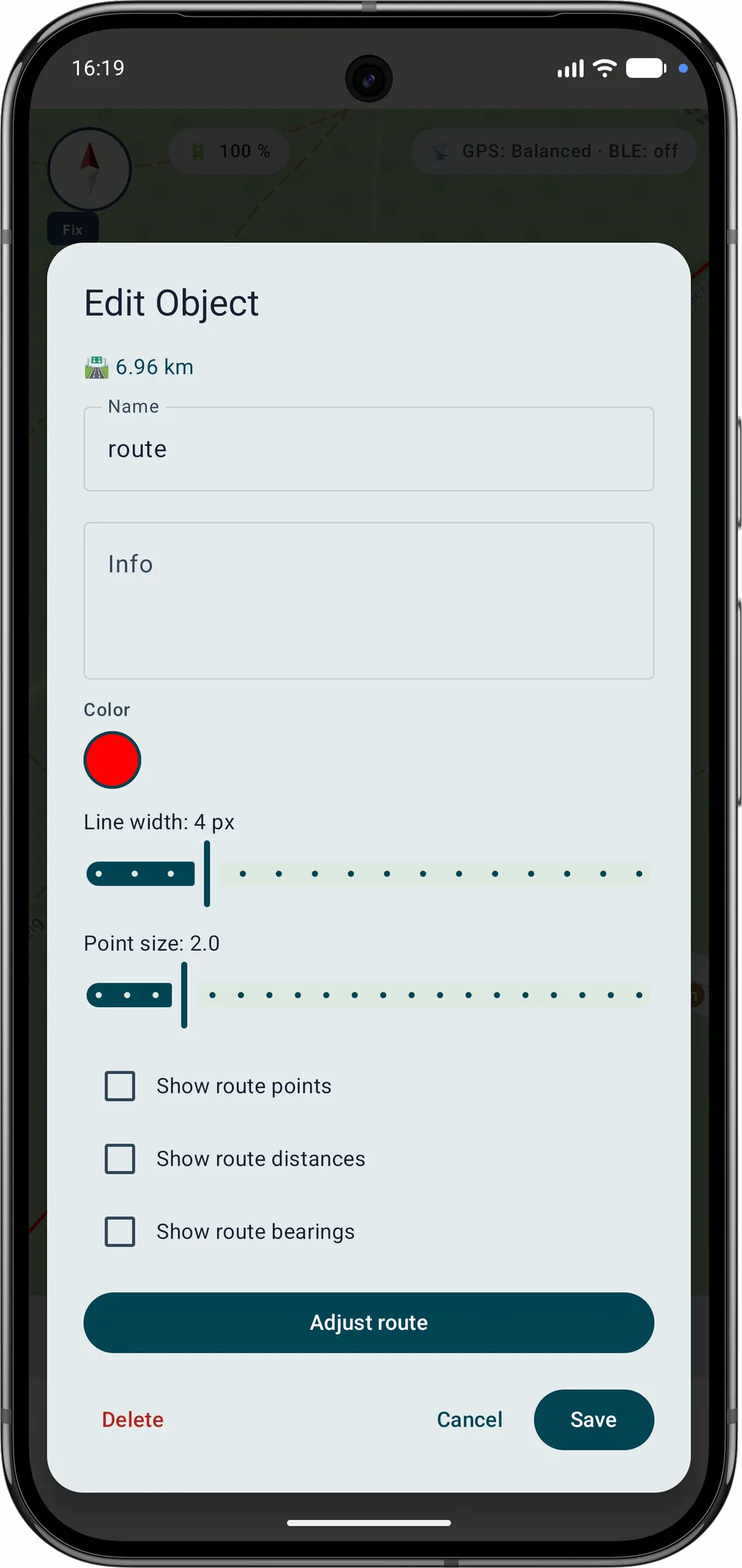
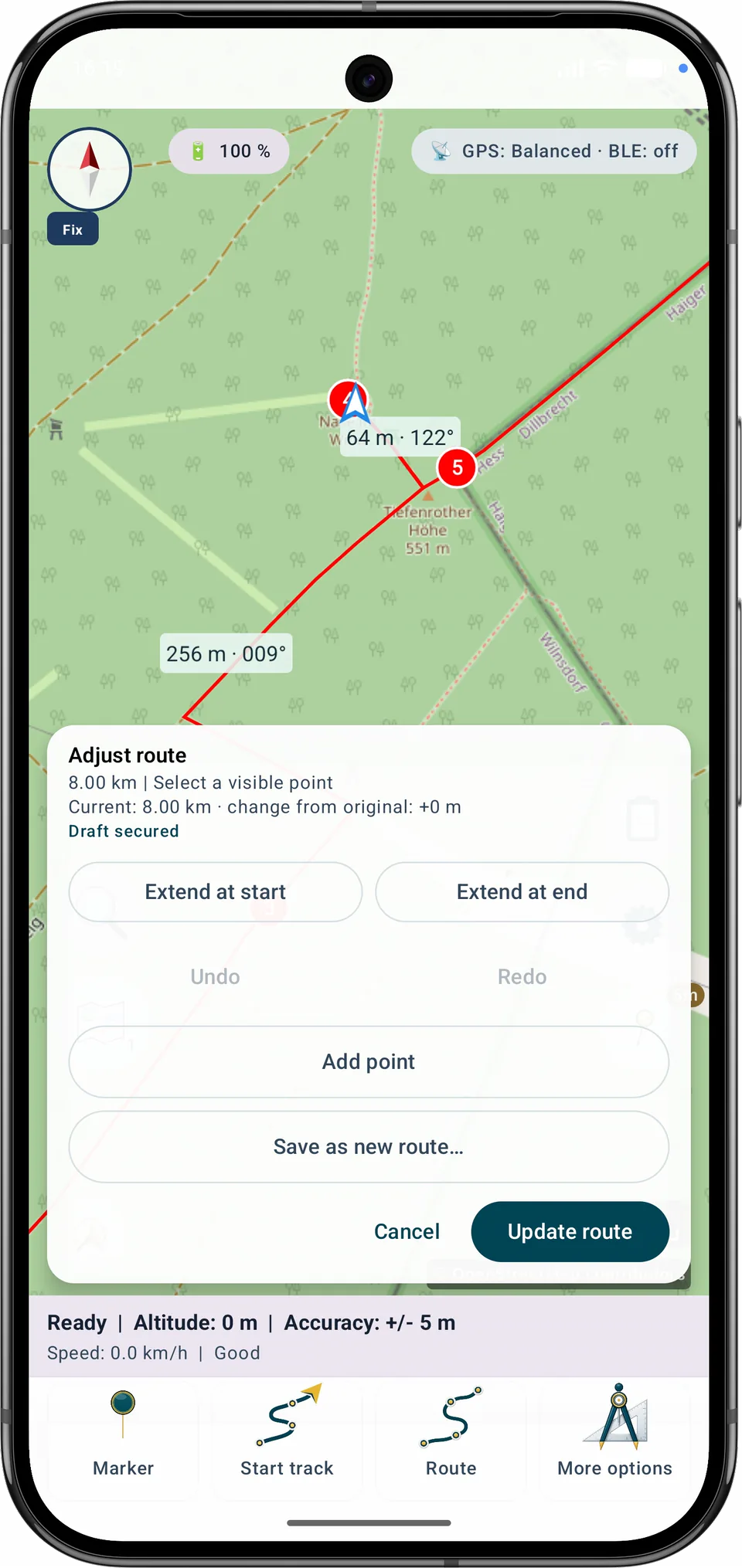
경로 조정에서는 지도를 확대, 이동 또는 회전한 뒤에도 정확하게 편집할 수 있으며 경로의 양쪽 끝에서 계속 추가할 수 있습니다.
시작에서 확장은 왼쪽, 끝에서 확장은 오른쪽에 있습니다. 여러 점을 연속으로 추가할 수 있으며 저장되는 시작점과 목적지가 올바르게 갱신됩니다.
이 모드에는 사용할 수 있는 길 데이터가 포함된 활성 호환 로컬 Mapsforge 벡터 지도가 필요합니다. 적합한 길이 없으면 해당 구간은 직선 또는 자유 연결로만 저장할 수 있습니다.
저장된 자유 구간은 저장할 때 길을 다시 검색하도록 지정할 수 있습니다. 의도적으로 자유롭게 그린 다른 구간은 변경되지 않습니다.
기하학적으로 동일한 내부 후보는 모호성 경고를 만들지 않습니다. 불확실은 실제로 경쟁하는 경로에만 사용되며 일치하는 길이 없는 구간은 직선 연결로 표시됩니다.
경로 계획과 내비게이션
로컬 경로 검색, 경로 미리보기와 일광 예측은 동일한 렌더링 경로를 사용합니다.
선택한 두 지점의 직선거리는 최대 3 km입니다. 이는 구간별 검증 한계이며 활성 Mapsforge 데이터에 연결된 길이 있음을 보장하지 않습니다. 엄격한 검색이 실패한 뒤에만 같은 도로 또는 하이킹 경로 참조를 가진 호환 가능한 열린 끝 사이의 최대 25 m 간격을 연결할 수 있으며, 해당 구간은 불확실로 표시됩니다.
지도에서 미리보기는 설정을 유지하면서 전체 경로 범위에 중심과 확대 수준을 맞춥니다. 내비게이션 중 임시 마커가 시민박명과 밤의 시작 위치를 표시합니다. 약 15분마다 또는 속도에 맞는 거리 후 갱신되며 종료 시 사라집니다. 0분은 전환 순간에 경고한다는 뜻입니다.
안전하게 저장
일반 편집이나 A-B 구간 재계획 후 저장 방식을 명확히 선택합니다.
기존 경로에 편집한 선형을 적용합니다. ID, 컬렉션과 참조는 유지되며 저장은 원자적으로 수행한 뒤 검증합니다.
이름 대화상자에서 새 ID를 가진 독립 경로를 만듭니다. 변형은 원본 옆에 배치되고 원본 경로는 전혀 바뀌지 않습니다.
재계산 중에는 저장할 수 없습니다. 쓰기가 실패하거나 앱이 중단돼도 초안이 남고 불완전한 상태가 원본을 대체하지 않습니다.
경로 정리
MapTools의 계획 경로는 여러 구간으로 나누거나, 확인하면서 합치거나, 한 구간만 다시 계획할 수 있습니다. 원본은 유지되고 작업 중간 상태가 저장되며 경로를 바꾸는 결정은 확인을 거칩니다.
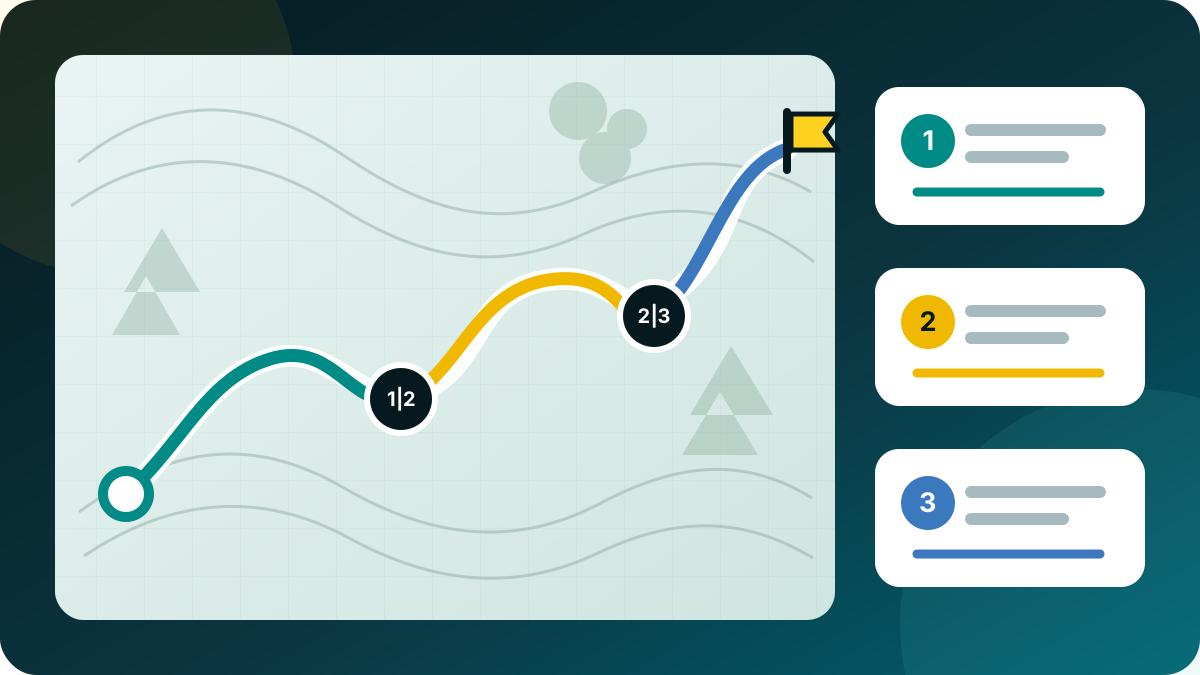
경로 조정에서 여러 제어점을 분할점으로 표시하고 제안된 구간 이름을 수정합니다. 모든 구간은 함께 저장되며 원본 경로는 변경되지 않습니다.
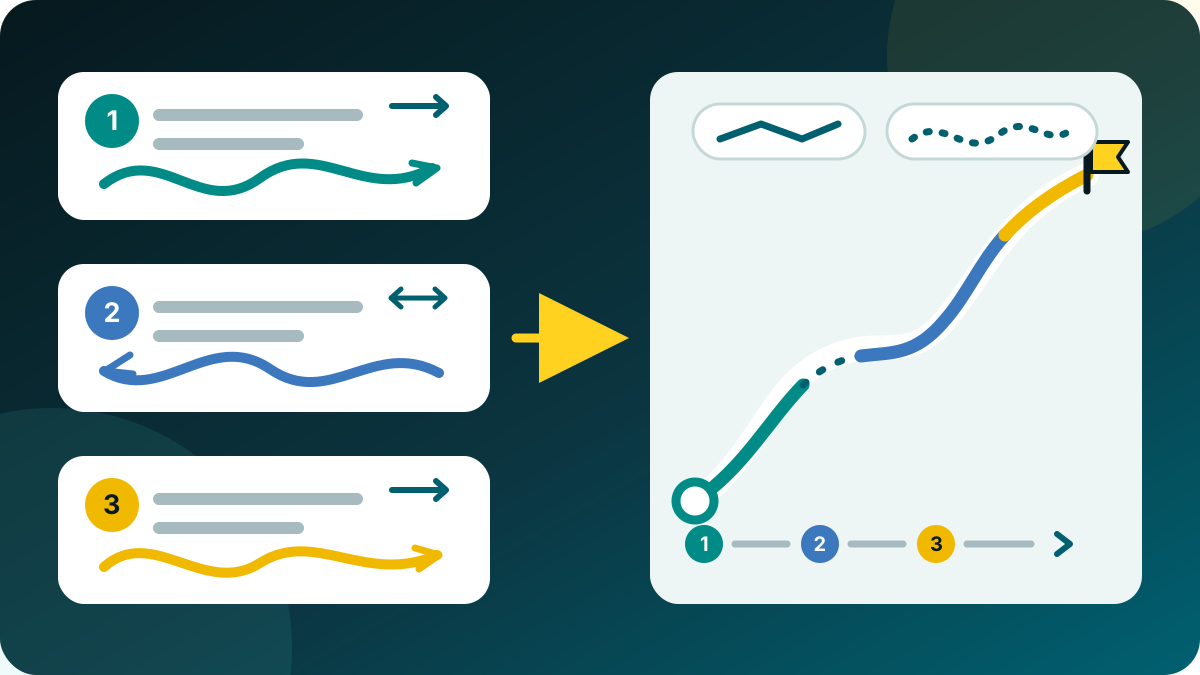
개체 브라우저에서 계획 경로를 두 개 이상 선택하고 경로 합치기를 엽니다. 제안된 부분을 위아래로 이동하고 필요하면 각 부분을 명시적으로 반전할 수 있습니다.
각 간격에서 직선 또는 길 따라가기를 선택합니다. 길 따라가기는 활성 로컬 Mapsforge 벡터 지도를 사용합니다. 탐색에 실패해도 조용히 직선으로 바뀌지 않으며 별도의 확인이 필요합니다.
두 지점을 A와 B로 표시한 뒤 그 사이만 다시 계산하거나 확인 후 직선으로 연결합니다. 추가 선호 지점으로 우회 방향을 지정해도 나머지 경로 형상은 유지됩니다.
중지 메뉴는 짧은 일시정지, 나중에 계속하도록 중단, 완전 종료를 구분합니다. 내비게이션 서비스가 끝나기 전에 진행 상황과 정확한 계속 지점을 저장합니다. GPS는 계속을 선택한 뒤에만 다시 시작됩니다. 남은 부분을 새 경로로 저장하는 기능은 별도 작업입니다.
편집 내용은 저장 중, 저장됨 또는 오류 상태가 있는 재개 가능한 초안으로 기록됩니다. 백그라운드 종료나 배터리 소진 뒤에는 마지막으로 검증된 상태를 복원하며 실패한 쓰기가 원본을 덮어쓰지 않습니다. 결과는 일반 경로로 유지되어 프로젝트, GPX, KML, GeoJSON으로 교환할 수 있습니다.
기록된 트랙은 계획 경로처럼 재구성하지 않습니다. 새 경로로 사용은 편집 가능한 복사본을 만들며 트랙의 지점 제거 모드는 정리된 트랙 복사본만 저장합니다.
기록 품질
트랙 기록 중 MapTools는 기록 경로에 기기의 내부 GNSS를 사용합니다. 네트워크, 패시브 및 마지막으로 알려진 위치는 지도 위치를 도울 수 있지만 트랙에 조용히 섞이지 않습니다.
의심스러운 위치 열은 마지막 신뢰 지점을 바꾸지 않고 잠시 확인합니다. 원래 경로로 돌아오면 그곳에서 계속하고, 확인된 새 영역이나 긴 수신 중단은 새 세그먼트를 시작합니다. 거리, 고도 및 내보내기는 공백을 인위적으로 연결하지 않습니다. 거부된 원시 위치는 저장하지 않고 트랙 세부 정보에는 집계 카운터만 표시합니다. 일반적인 위치 도약을 줄이지만 모든 GNSS 오류 감지를 보장하지는 않습니다.
트랙 기록
기록 시트에서는 자동, 고정밀, 내비게이션, 균형, 절전, 사용자 지정 중 하나만 활성화됩니다.
자동: 잠시 고정밀로 시작하고 보통 균형, 안내나 안정적 빠른 이동 시 내비게이션, Eco 또는 배터리 20% 이하에서는 절전을 쓰며 25%에서 복귀합니다. 저온은 경고만 합니다.
사용자 지정: 시간(1, 2, 3, 5, 10, 15, 30초; 1, 2, 5, 10분) 또는 거리(3, 5, 10, 20, 50, 100 m). 품질과 정지 보호는 유지됩니다. 변경은 다음 사용 가능한 fix부터 적용되며 서비스와 일지가 백그라운드 및 재시작 후에도 보존합니다.
| 프로필 | 시간 | 이동 | 정확도 |
|---|---|---|---|
| 고정밀 | 1초 | 3 m | 10 m 이내 |
| 내비게이션 | 2초 | 3 m | 20 m 이내 |
| 균형 | 5초 | 5 m | 25 m 이내 |
| 절전 | 15초 | 10 m | 40 m 이내 |
MapTools 규칙이며 GNSS 시간을 보장하지 않습니다. 절전은 Android low-power provider가 아닙니다.
검토 및 공유
계획한 경로와 기록한 트랙을 필요한 수치와 함께 읽기 쉬운 지도로 구성하세요. PNG로 저장하여 추가 앱 없이 활용할 수 있습니다.
총 시간, 일시정지를 제외한 시간과 사용자가 누른 일시정지를 구분합니다. 평균 속도와 페이스는 시간 기준을 표시하며 기술적인 GPS 공백은 일시정지로 계산하지 않습니다. 평활화한 최고 속도는 단일 위치 점프를 제외합니다.
지도와 수치가 있는 요약 및 사용 가능한 경로 고도 프로필은 Free에 포함됩니다. 기록한 트랙의 고도 프로필과 PNG 내보내기는 Pro 기능입니다. 배경은 출처 표시가 있는 OSM 또는 지도 없음을 선택할 수 있습니다. Google 및 이용 권한이 불분명한 소스는 내보내지 않습니다. 별도 고도 프로필 PDF 기능은 유지됩니다.
경로는 거리, 예상 전체 시간과 이동 시간, 계획 속도, 휴식 및 고도 프로필을 보여 줍니다. 시간 모델을 명시하며 하이킹 모델은 경사를 반영하고 나머지는 일정 속도를 사용합니다. 트랙은 기록으로 확인되는 시간을 표시하며 없는 시간이나 휴식을 0으로 바꾸지 않습니다. 경로 안내 종료는 트랙 기록을 대신하지 않습니다.
전체 트랙, 양 끝 잘라내기 또는 데이터만을 선택하세요. 잘라낼 거리는 조정할 수 있으며 선·수치·프로필은 같은 나머지 구간에 적용됩니다. 트랙이 너무 짧아도 전체 경로로 자동 복귀하지 않습니다. 잘라낼 때 슬롯의 추가 콘텐츠는 꺼지고 원본은 바뀌지 않습니다. 잘라내기가 익명성을 보장하지는 않습니다.
왼쪽 지도·오른쪽 데이터, 위쪽 지도·아래쪽 데이터 또는 지도와 데이터를 두 개의 PNG로 분리하는 배치입니다. 제목 영역은 없습니다. 얇은 경로선과 축 레이블·주/보조 격자가 있는 고도 프로필로 가독성을 유지합니다. 수치는 지도 밖에 놓입니다. 두 이미지 중 하나만 따로 내보낼 수도 있습니다.
고정 프레임 안에서 지도를 이동·확대·회전하고 북쪽 위 또는 경로 맞춤을 선택하세요. 래스터 지도 레이블도 함께 회전합니다. 수치, 페이스, 날짜, 프로필, 색상, 선 굵기, 밝은/따뜻한 스타일을 고를 수 있으며 마지막 설정이 저장됩니다. 웹용 2000 px, 대형 3000 px이며 지도 품질은 소스에 달려 있습니다. 저장 위치 또는 이미지 쌍의 폴더를 선택하세요. 지원하는 슬롯 콘텐츠는 선택 사항이며 누락 항목을 구체적으로 알려 줍니다.
트랙 수정
저장된 기록을 계획 경로로 변환하지 않고 필요한 부분만 정확하게 정리할 수 있습니다.
기록된 트랙 정리 → 포인트 삭제에서 내부 원시 포인트 하나 또는 연속 구간을 트랙 보기, 범위 슬라이더 또는 전체 포인트 목록에서 선택합니다. 미리보기에는 삭제되는 경로와 새 직접 연결이 표시됩니다.
네트워크, 패시브, 통합 위치와 고립된 큰 왕복 점프가 후보로 제공됩니다. MapTools는 이를 자동으로 삭제하지 않으며 사용자가 결정합니다.
정리 결과는 새 수정본으로만 저장됩니다. 원본, 타임스탬프, 기록 이벤트, 활동 경계, 실제 구간 간격 및 미디어는 유지됩니다. 시작 및 끝 마커가 없는 이전 트랙도 지원하며 일반 지오메트리 편집기는 계획 경로에만 사용됩니다.
단계별 안내
기존 경로를 열고 원하는 제어점을 추가한 뒤 범위를 A와 B로 지정하여 그 사이 구간만 교체합니다. 경로의 나머지 부분은 변경되지 않습니다.
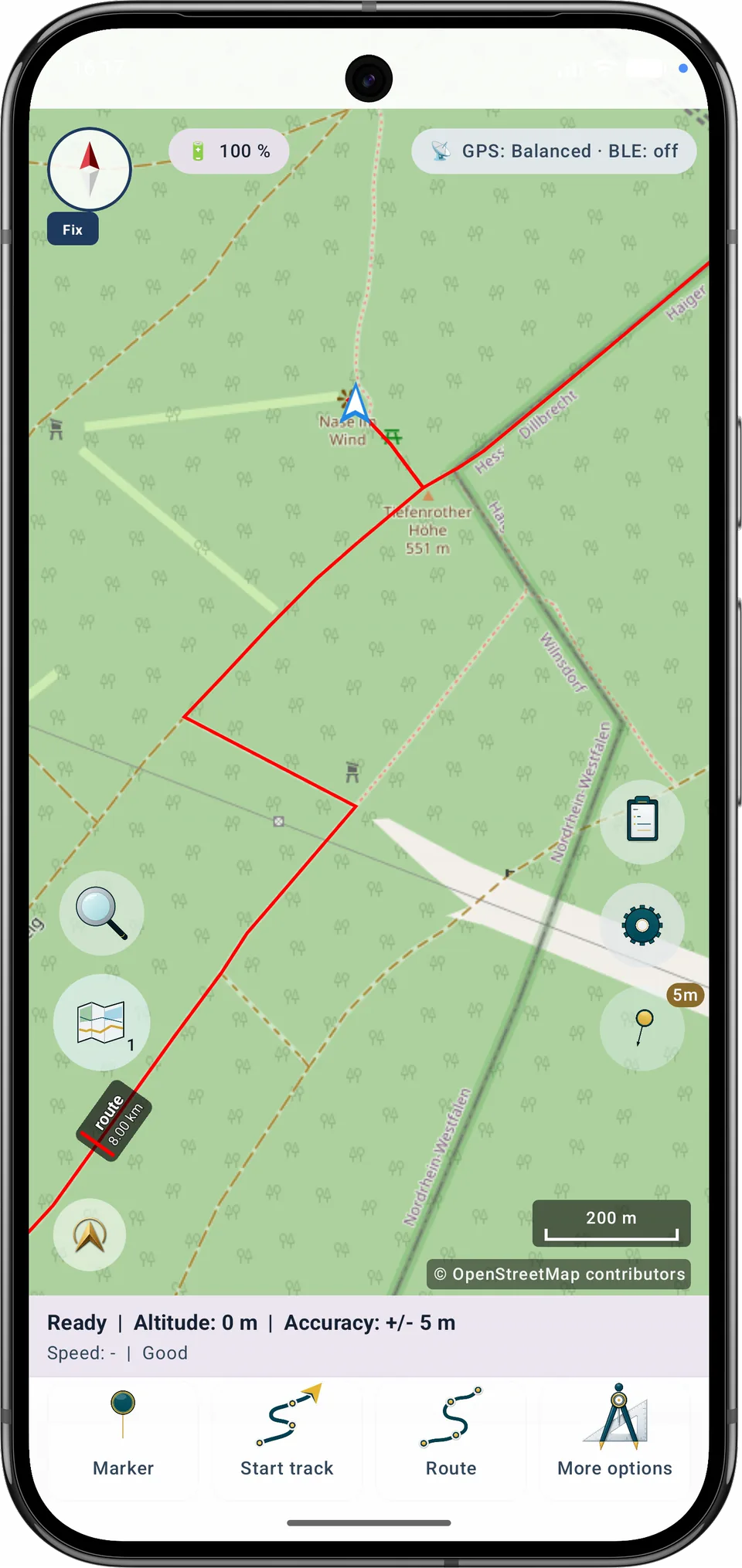
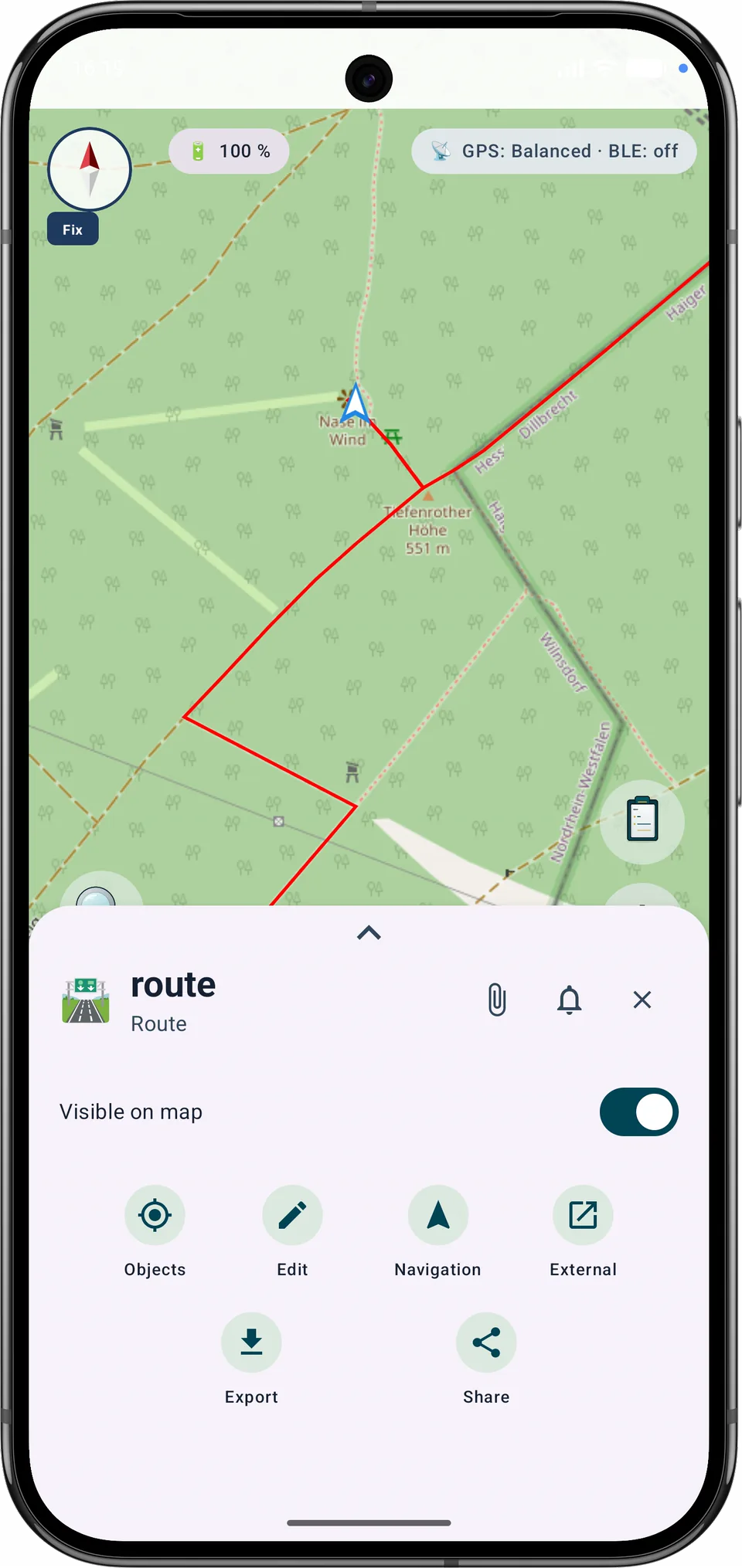
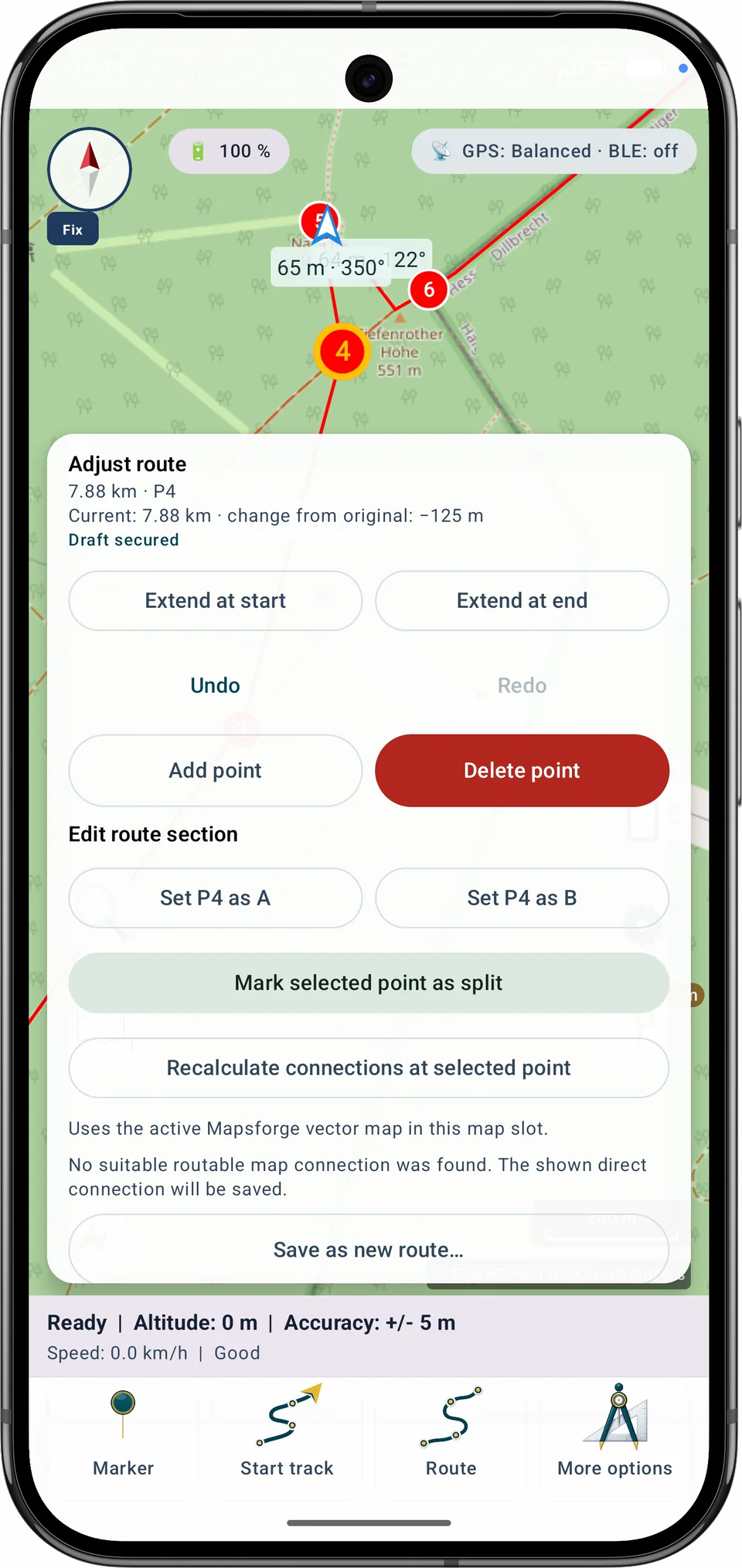
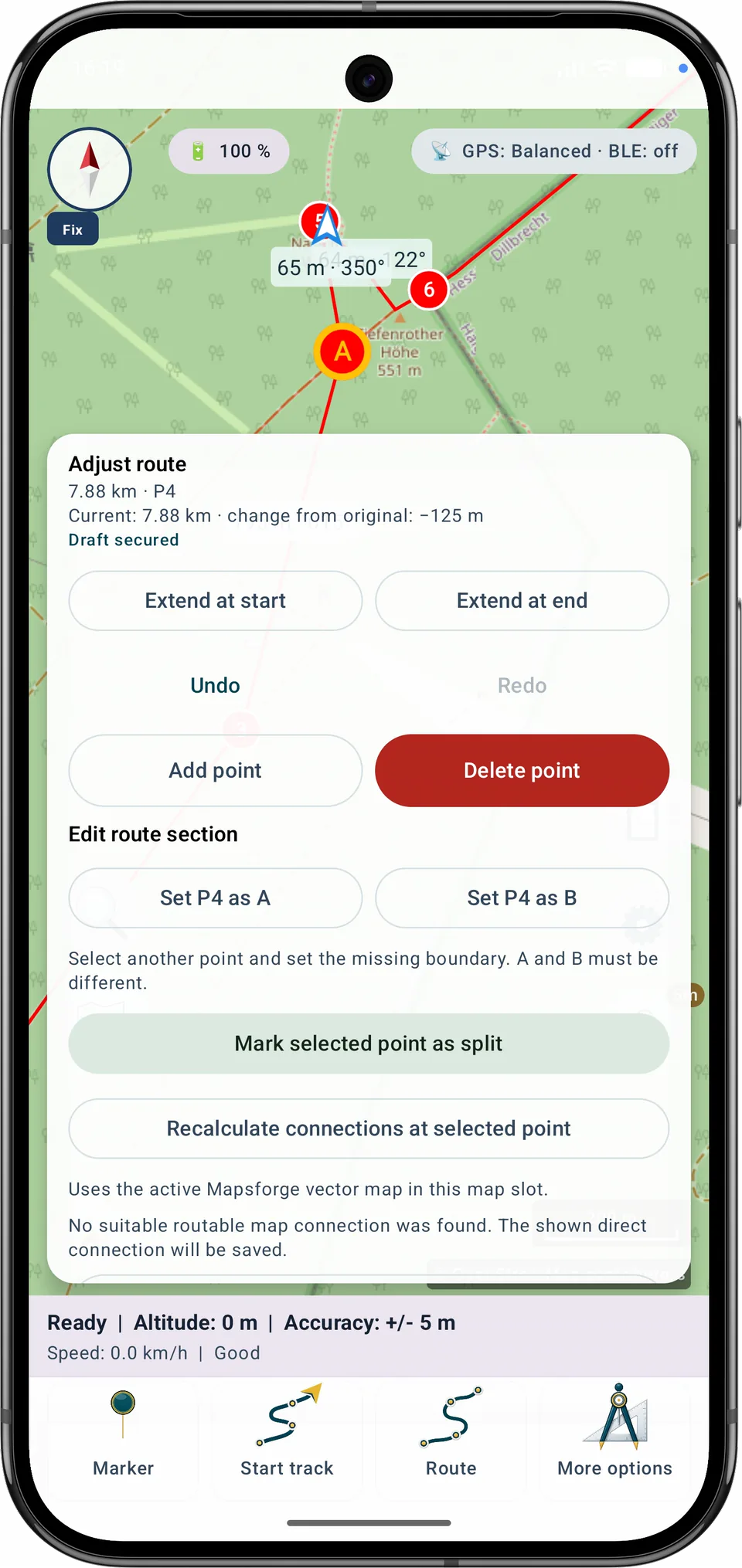
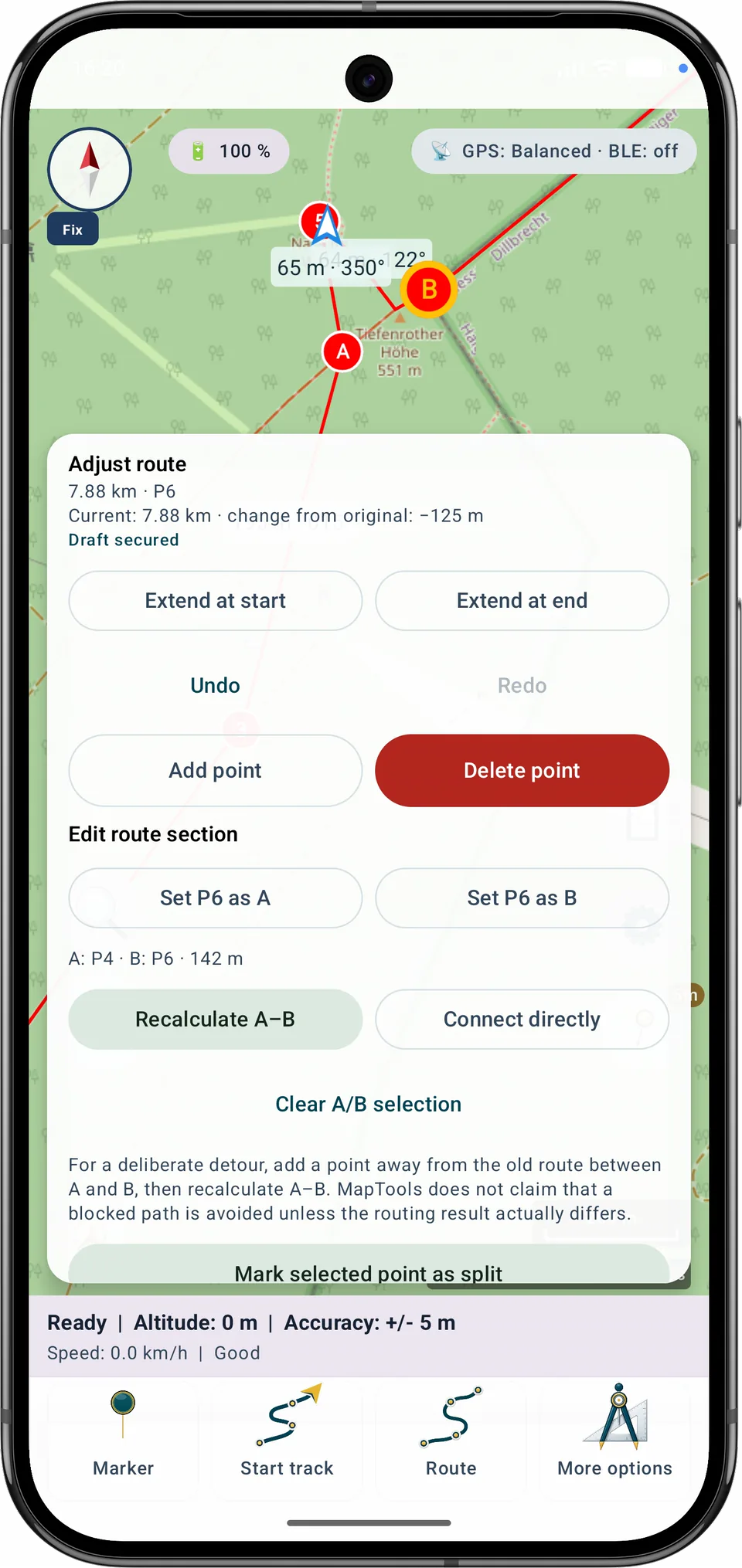
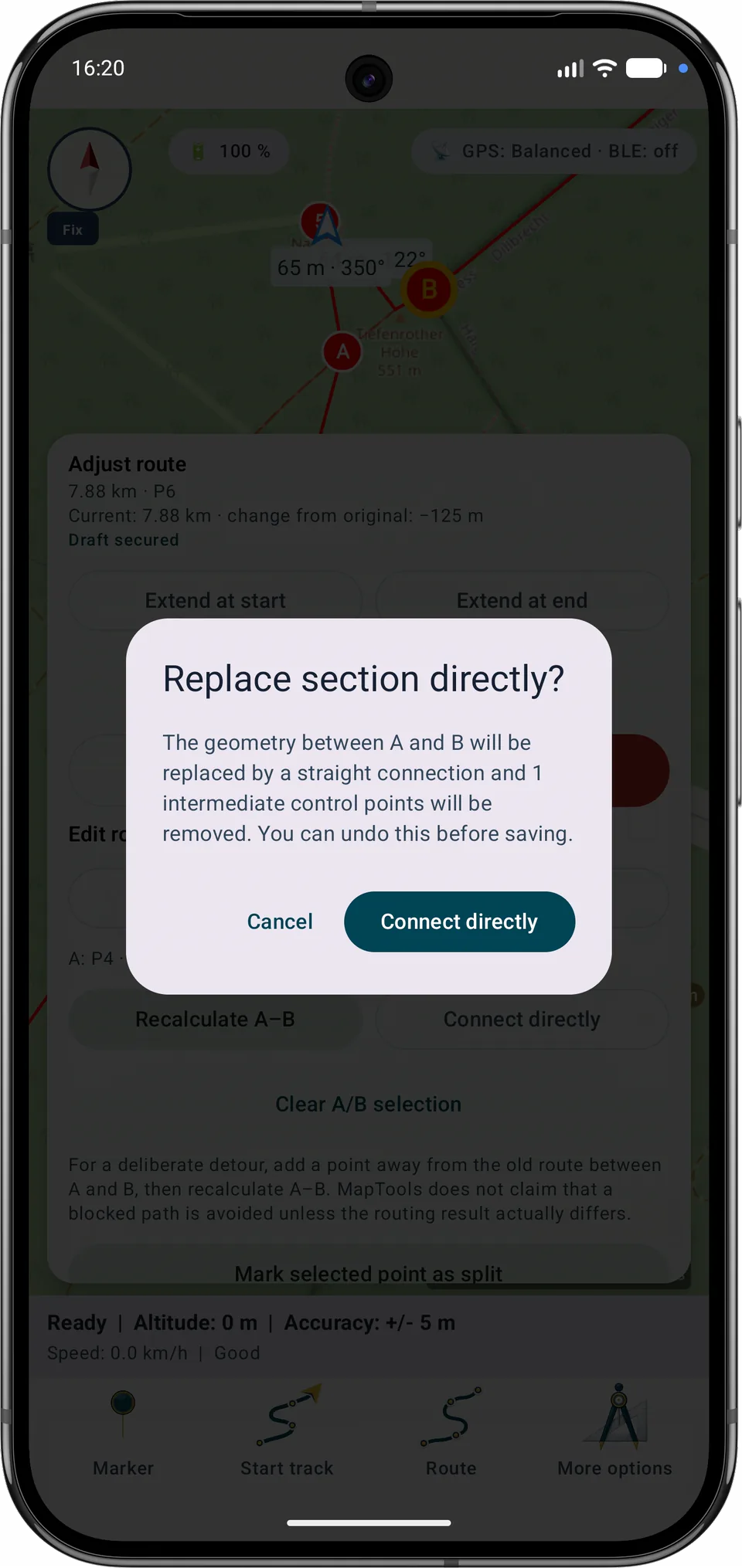
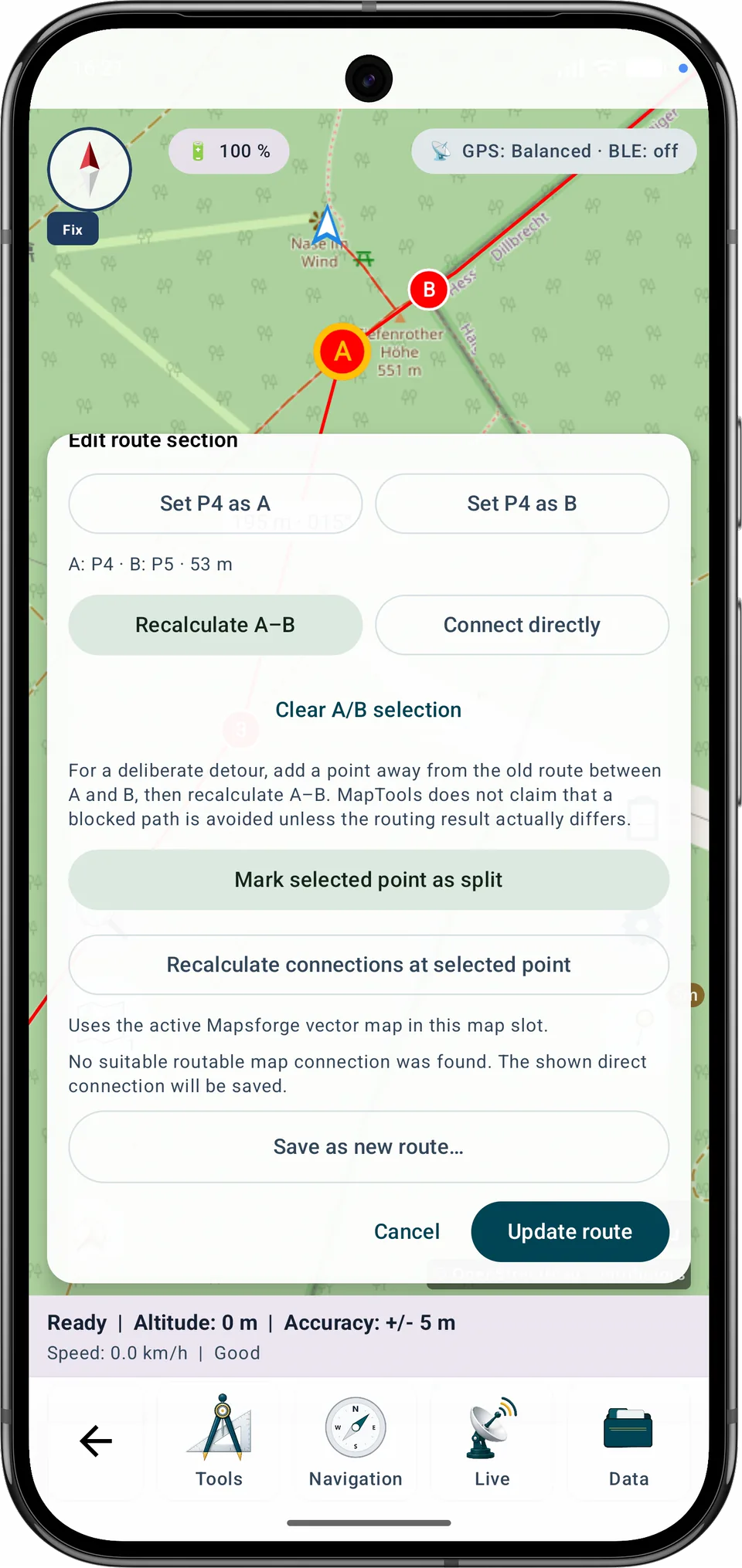
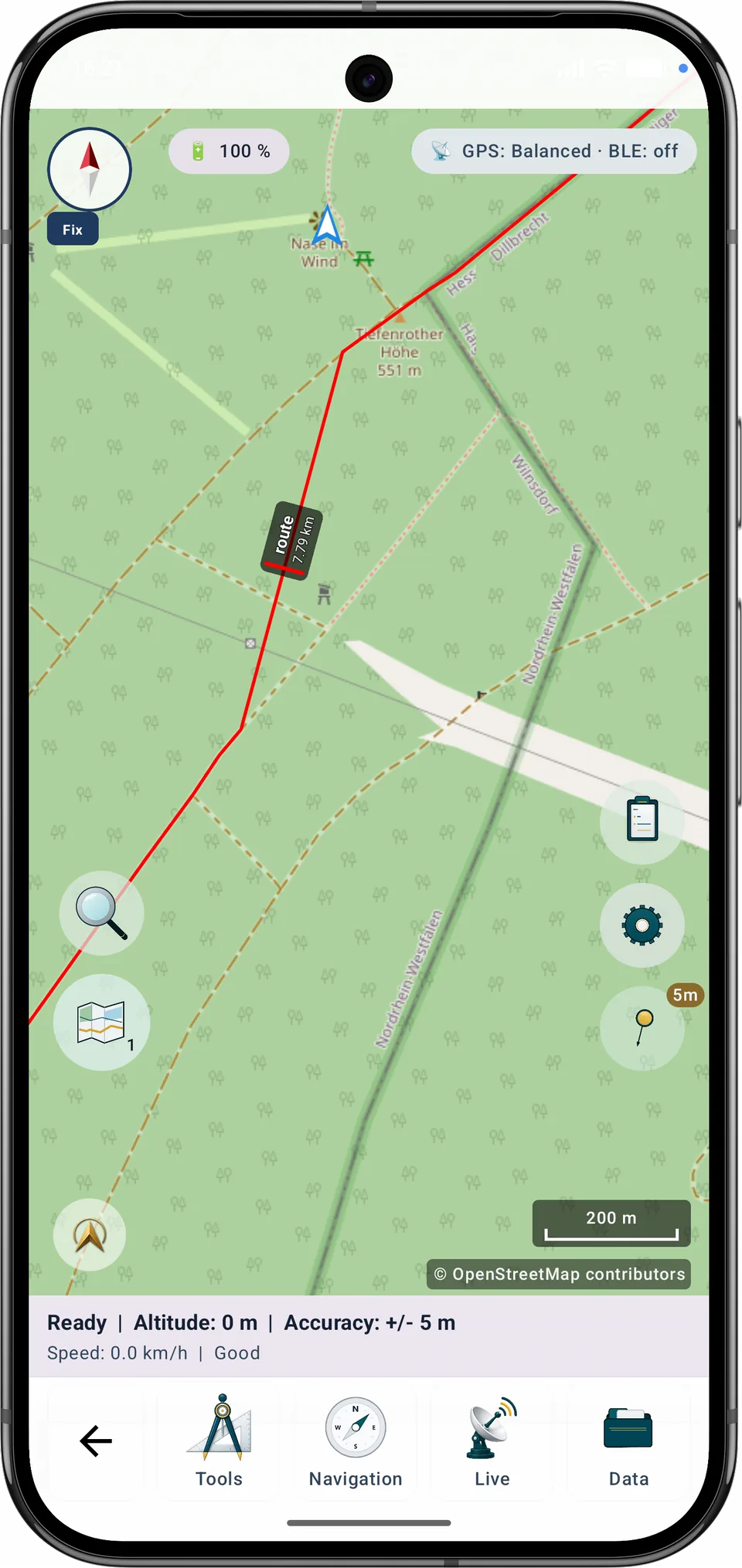
A–B 다시 계산은 활성화된 호환 로컬 Mapsforge 벡터 지도를 사용합니다. 적합한 길을 찾지 못해도 MapTools가 알리지 않고 구간을 직선으로 바꾸지 않습니다.
단계별 안내
번호가 지정된 제어점 하나 이상을 분할점으로 표시하고, 제안된 구간 이름과 포인트 범위를 확인한 다음 구간을 저장합니다. 원래 경로는 변경되지 않습니다.
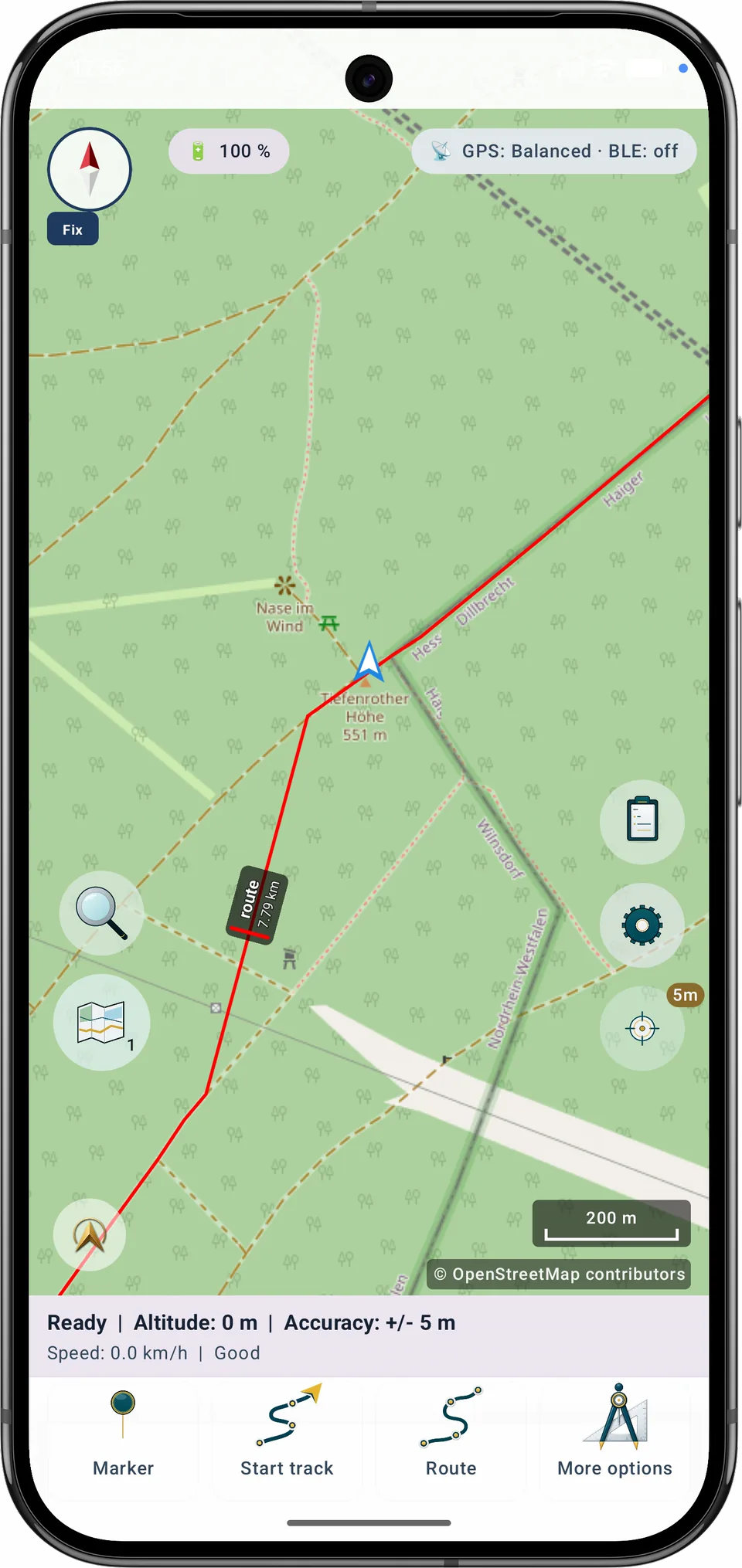
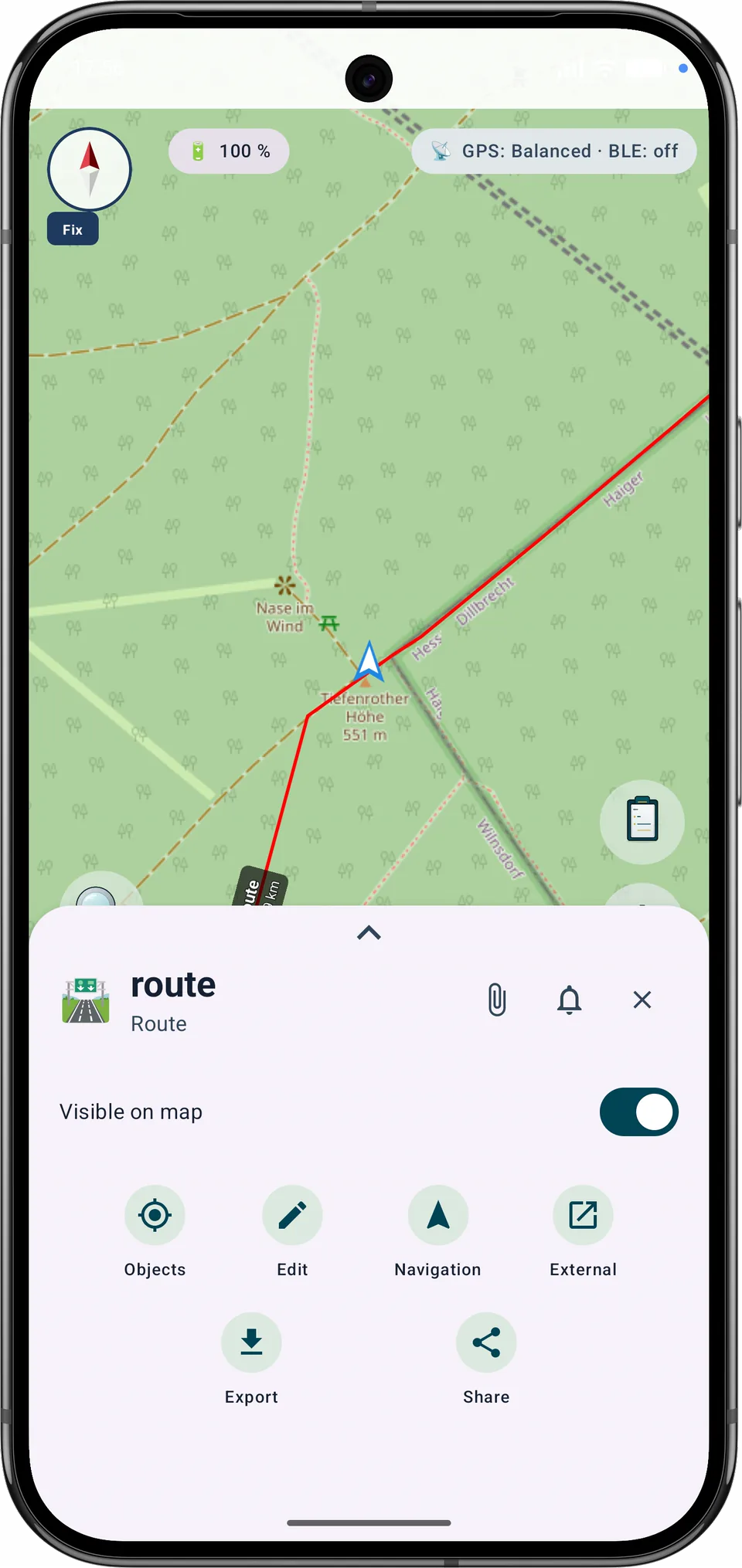
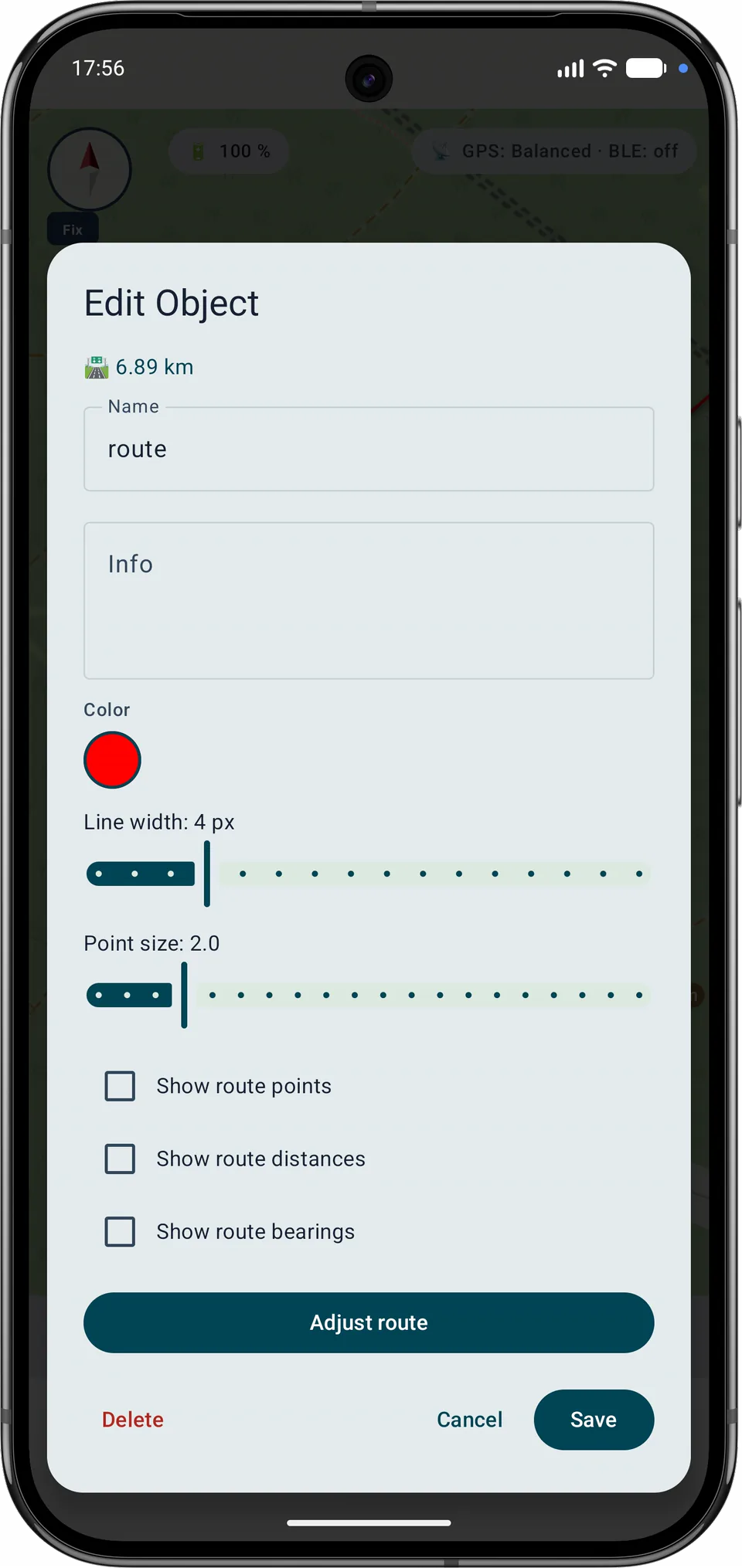
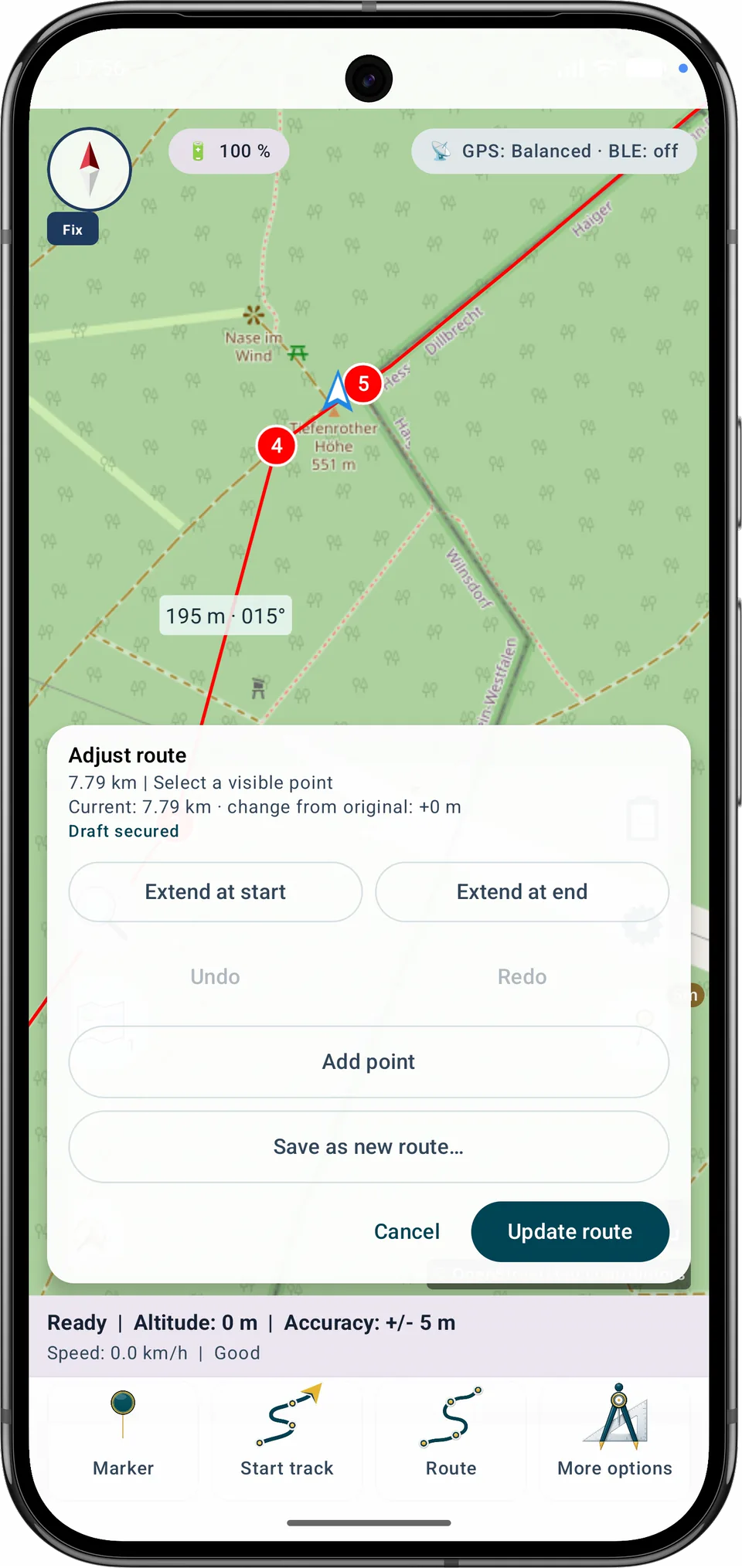
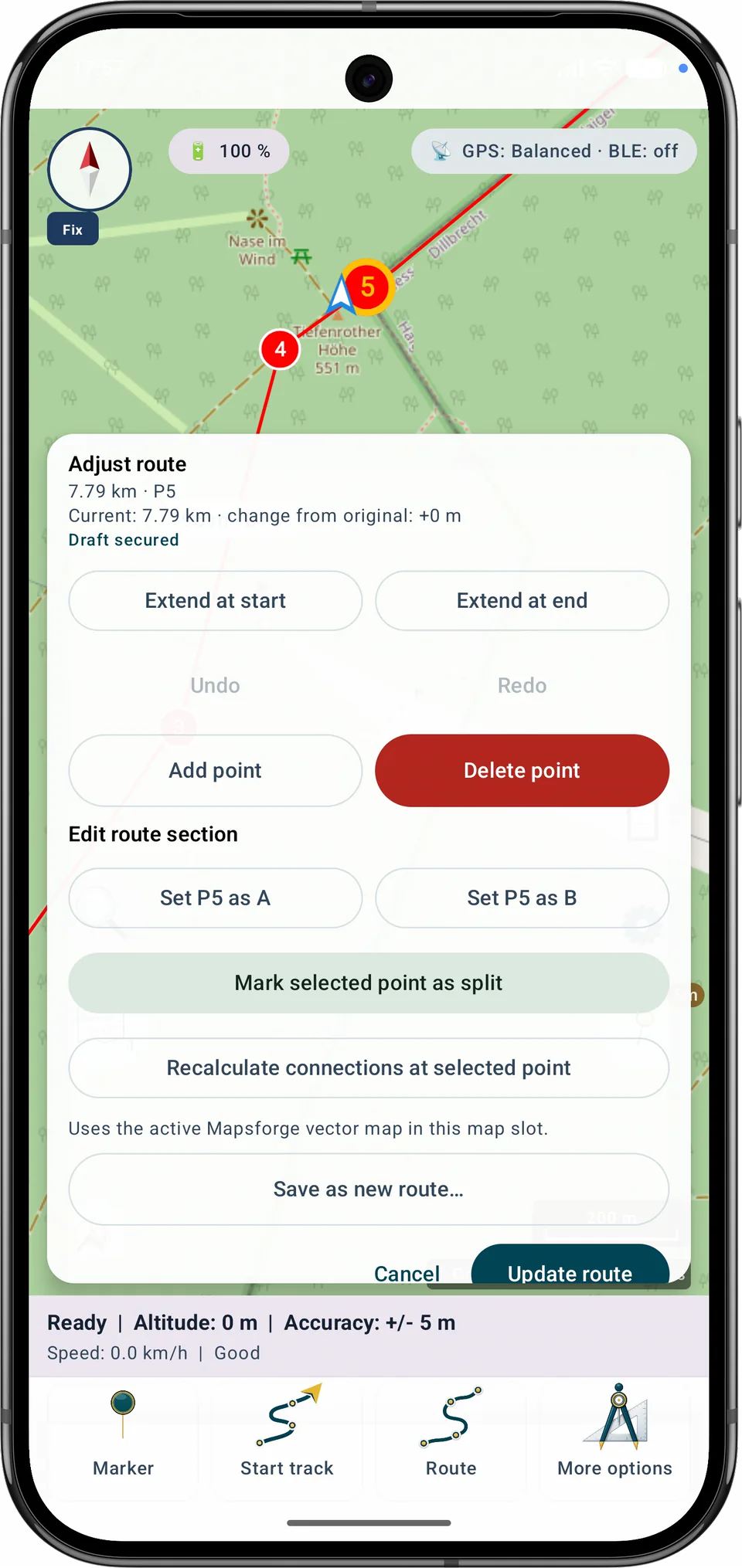
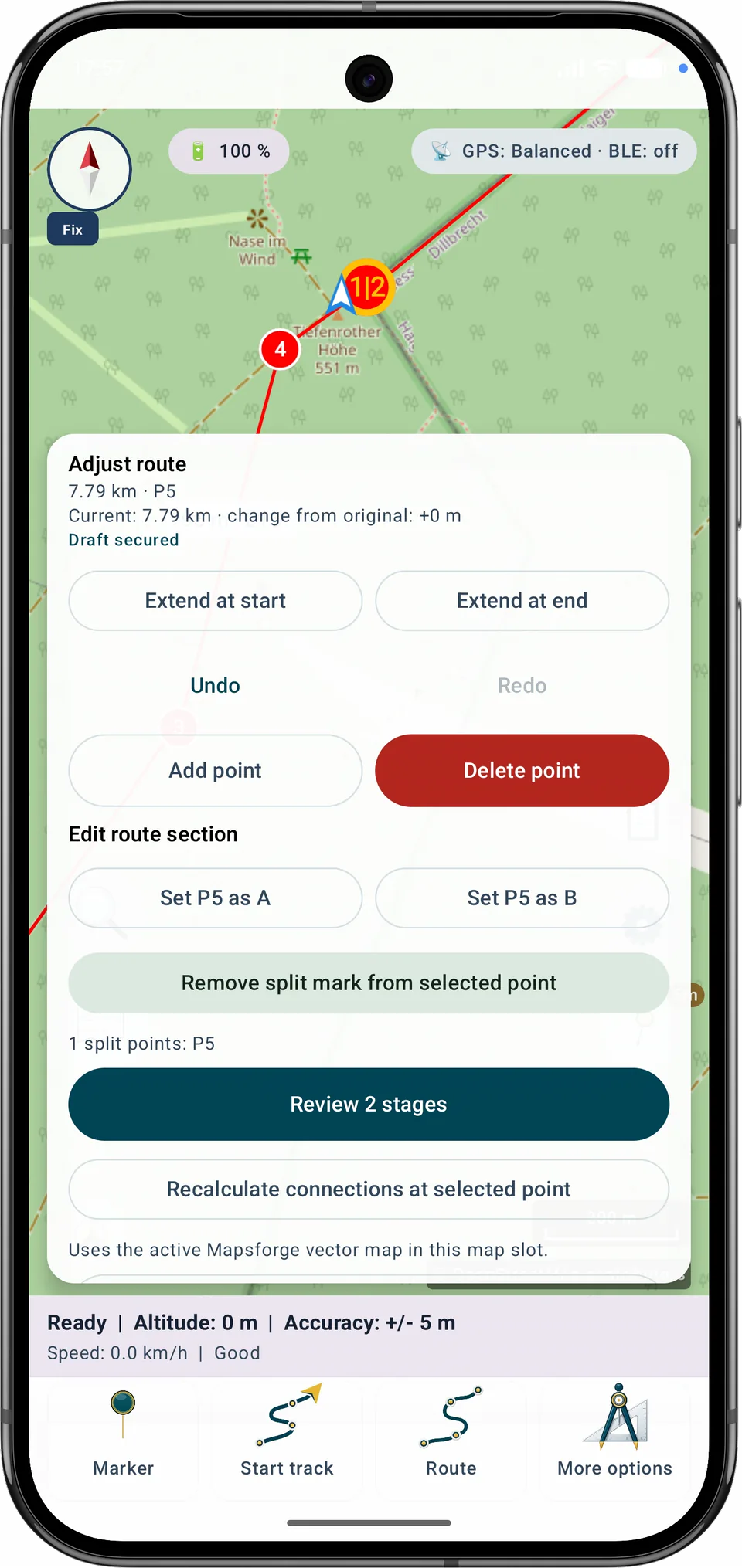
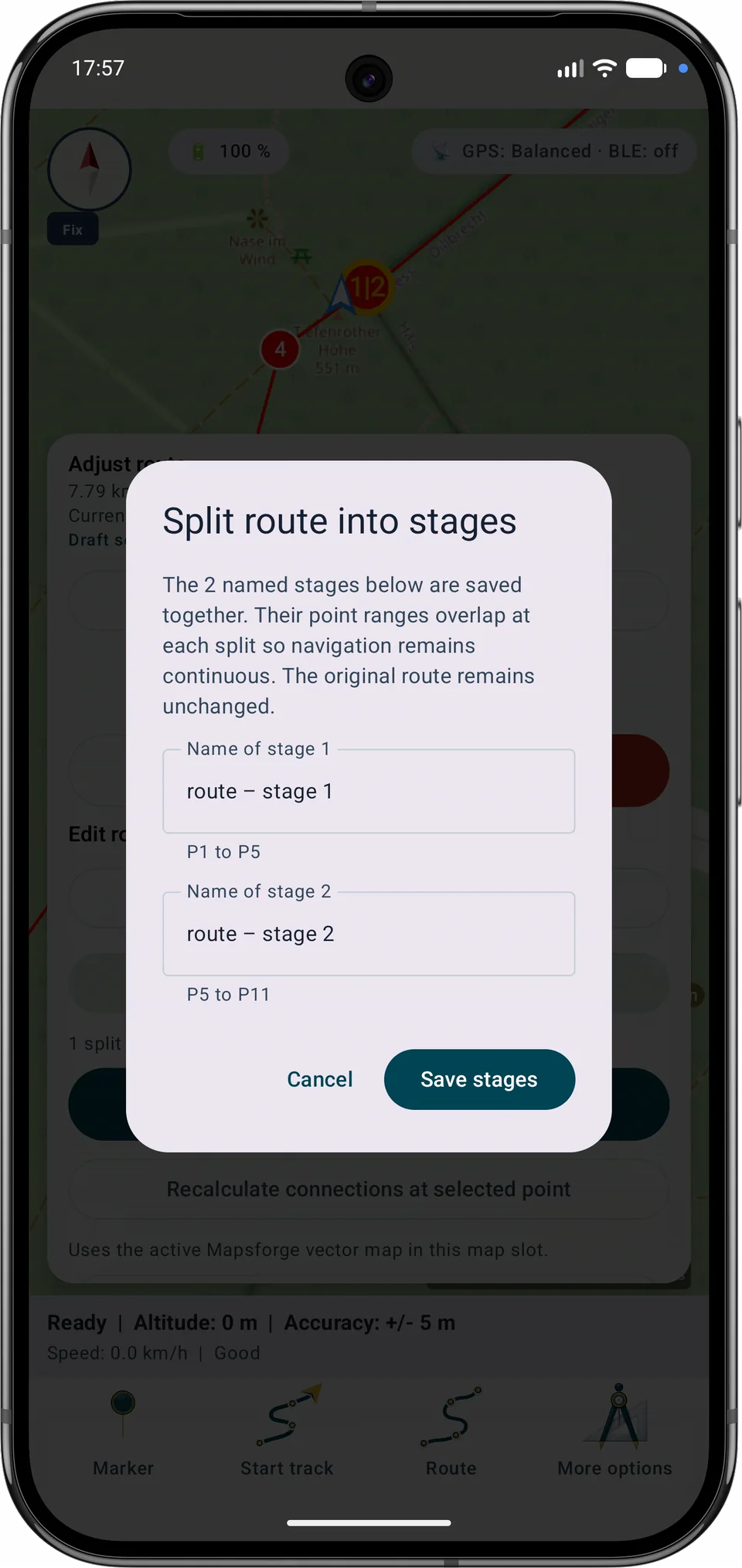
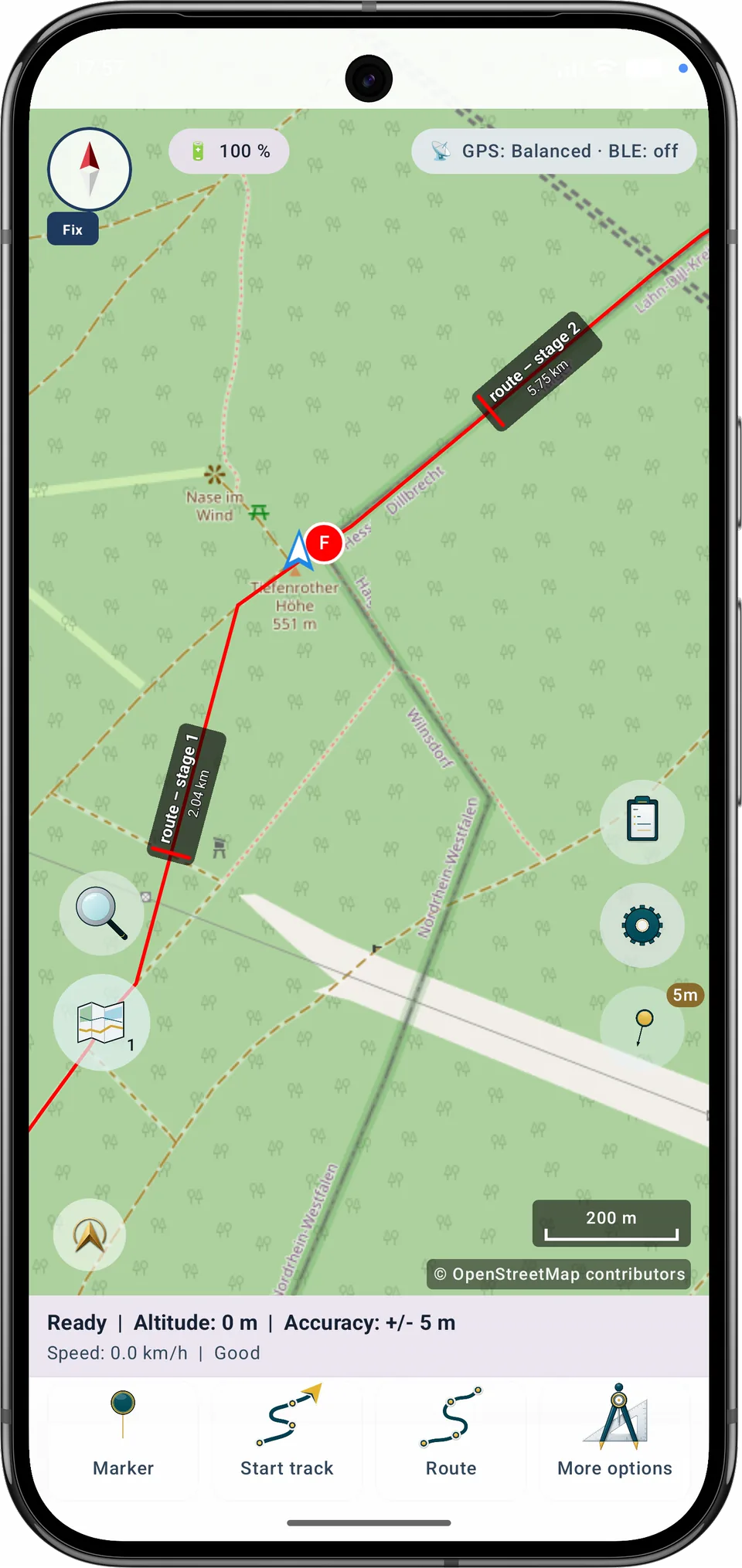
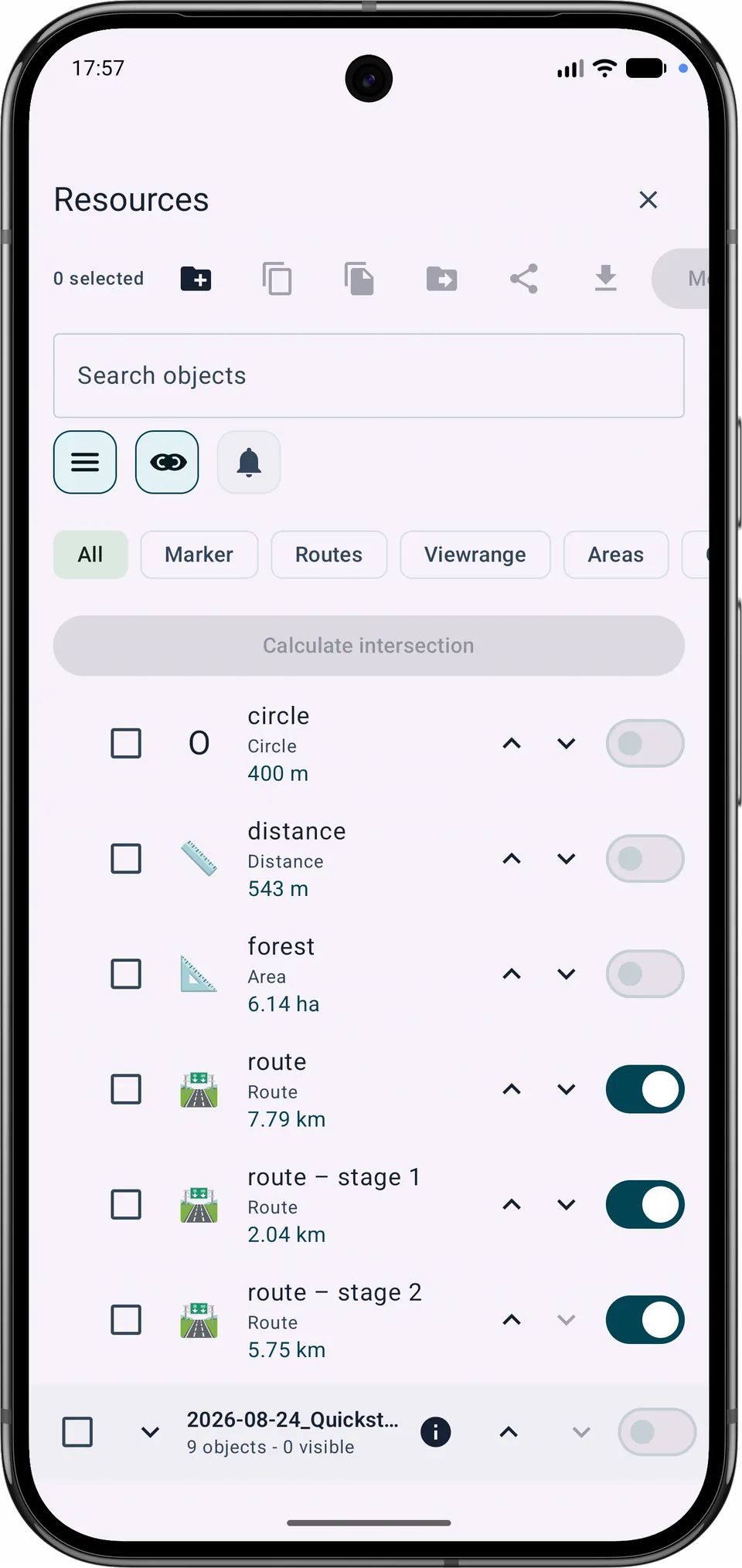
탐색이 끊기지 않도록 인접한 구간은 공통 분할점에서 겹칩니다. 저장한 각 구간은 별도의 경로 객체가 되며 원래 경로도 유지됩니다.
현재 기능
표시된 기본 지도와 오프라인 경로 원본은 분리되어 있습니다. Google 또는 OSM을 표시하는 동안에도 알맞은 로컬 Mapsforge 지도를 자동 경로용으로 선택할 수 있습니다. 가져온 GPX 트랙은 각각 표시, 관리, 삭제할 수 있습니다.
Free와 Pro
A와 B 사이 구간 재계획, 경로 업데이트, Free 한도 내 새 변형 저장은 Free에서 사용할 수 있습니다. 여러 경로 병합과 경로 구간 분할에는 Pro가 필요합니다.
마지막 저장 트랙 수정
트랙을 누르거나 시간을 사용하거나 목록에서 포인트를 선택하세요. 흐리게 표시된 구간이 제거됩니다.
새 끝점을 선택하세요
트랙 개요. 접근 가능한 정확한 선택을 위해 포인트 목록이나 시간 컨트롤을 사용하세요.
트랙 시작 부근 · 트랙 끝 부근 · 시간 정보 없음
트랙을 누르거나 시간을 사용하거나 목록에서 포인트를 선택하세요. 흐리게 표시된 구간이 제거됩니다.
−…분
제거된 포인트: … · 영향받는 구간: …
새 끝 이후 미디어: 사진 …개, 메모 …개, 오디오 …개. 프로젝트에 유지됩니다.
수정 사본 이름
원본이 검색 격자에 연결되어 있습니다. 수정 사본을 저장하세요.
원본 도형이 선택한 포인트까지 짧아집니다. 다시 편집하지 않으면 이전 버전을 한 번 복원할 수 있습니다.
수정 전 버전 복원
트랙은 기록 컨트롤을 엽니다. 시작과 종료에는 진행 표시가 찰 때까지 길게 누른 뒤 확인하는 과정이 필요합니다.
경로를 눌러 만들거나 편집하고 선택합니다. 안내 중 중지도 트랙 기록과 같은 의도적인 길게 누르기와 확인을 사용합니다.
원본이 내비게이션에 사용 중입니다. 내비게이션을 중지하거나 사본을 저장하세요.
기록 프로필
내비게이션 → 기록을 열고 기록 모드를 확인한 후 직접 트래킹을 시작합니다. 일시 중지, 재개 및 중지가 가능합니다. 중지하면 기록이 트랙으로 저장됩니다. 권한은 실제로 트래킹을 시작할 때만 요청됩니다.
위치 정보가 포함된 오디오 메모 녹음
빠른 캡처에는 현재 위치가 필요합니다.
각 기록은 별도 세션에 속합니다. 중단 후 MapTools는 누락된 저널 끝부분만 추가하며, 일시정지는 지도와 .asmaps, 백업, GPX에서 별도 트랙 구간으로 유지됩니다.
자동 복구 스냅샷은 진행 중인 프로젝트 작업을 로컬에 저장합니다. 수동 전체 백업을 대체하지는 않습니다.
자동은 배터리 잔량, 배터리 온도 및 Eco 모드에 따라 네 가지 GPS 프로필 중 하나를 선택합니다.
값: 최소 시간 · 최소 이동 거리 · 허용되는 최대 오차.
내보내기 선택에 따라 프로젝트 또는 선택한 객체의 사진, PDF 및 오디오 메모가 프로젝트 파일에 포함됩니다.
첨부 파일에는 비공개 이미지, 문서, 음성 및 위치 메타데이터가 포함될 수 있습니다. 필요한 경우에만 포함하세요.
각 기록은 별도 세션에 속합니다. 중단 후 MapTools는 누락된 저널 끝부분만 추가하며, 일시정지는 지도와 .asmaps, 백업, GPX에서 별도 트랙 구간으로 유지됩니다.